 Posted by

Adobe Premiere Pro for PC: How to Download and Install on Windows (2026 Guide)
Adobe Premiere Pro is the video editor behind countless YouTube channels, films and TV shows. If you want it on your Windows PC, the only safe and legal source is Adobe itself — and this guide shows you the complete official process from download to your first exported video.
Below you will find how to download Adobe Premiere Pro from the official Adobe website, install it on Windows through the Creative Cloud desktop app, and edit your first clip — plus system requirements and honest pricing, since it is a paid program with a short free trial.
What Is Adobe Premiere Pro?
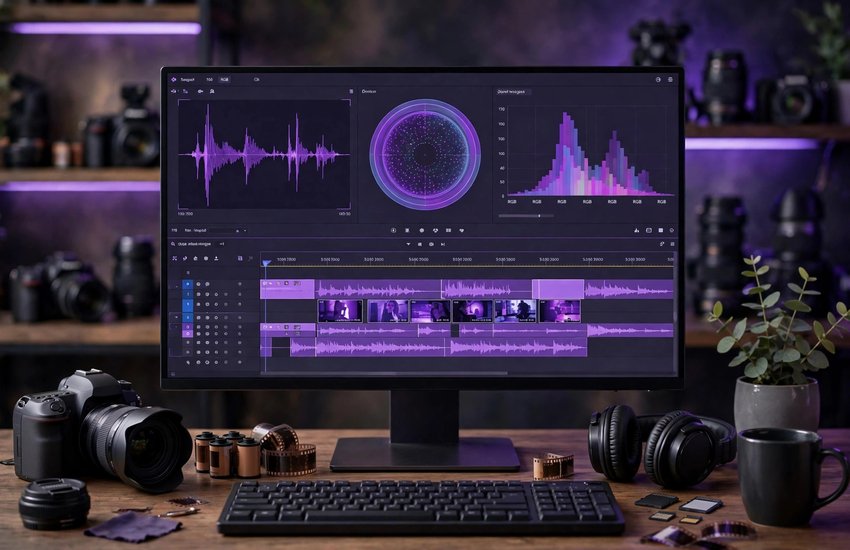
Adobe Premiere Pro is a professional non-linear video editor developed by Adobe for Windows and macOS. “Non-linear” means you can place video, audio, photos and graphics anywhere on a timeline and rearrange them freely, without changing the original files. It accepts footage from virtually any camera — phones, DSLRs and cinema cameras — in formats such as MP4, MOV, ProRes and RAW.
Editors use Premiere Pro to cut and trim clips, correct and grade colour with the Lumetri tools, clean up audio, add titles, transitions and effects, and export finished videos for YouTube, broadcast or cinema. It works hand in hand with other Adobe apps: motion graphics come in from After Effects through Dynamic Link, audio can be polished in Audition, and final exports are queued in Media Encoder. As part of Creative Cloud, projects and assets can also be shared through cloud libraries.
Key Features
- Timeline-based editing: Fast, precise cutting and trimming with ripple, roll and slip tools on unlimited video and audio tracks
- Lumetri Color: Professional colour correction and grading with scopes, presets and HDR support built into the timeline
- Speech to Text: Automatic captions and subtitles generated from your audio, with a searchable, editable transcript
- Essential Sound panel: One-place audio cleanup — dialogue enhancement, noise reduction, ducking and loudness matching
- Effects and transitions: A large built-in library plus support for third-party plug-ins, with GPU-accelerated rendering
- Multicam editing: Sync and cut between several camera angles of the same scene in real time
- Dynamic Link integration: Use After Effects compositions and Audition sessions in your timeline without rendering first
System Requirements
- Operating System: Windows 10 or Windows 11 (64-bit), version 22H2 or later
- Processor: Intel 6th Generation or newer CPU, or AMD Ryzen 1000 Series or newer
- RAM: 8 GB minimum; 16 GB recommended for HD work and 32 GB for 4K editing
- Graphics Card: GPU with at least 2 GB of video memory; 4–6 GB or more recommended for smooth playback and effects
- Storage: At least 8 GB of free disk space for installation; fast additional storage strongly recommended for media and cache files
- Display: 1920 x 1080 resolution or greater
- Internet Connection: Required to download the Creative Cloud app, activate your license and use cloud features
How to Download Adobe Premiere Pro (Official Method)
Premiere Pro should only ever be downloaded from Adobe itself. Adobe delivers all of its current desktop apps through the free Creative Cloud desktop app, which downloads, installs and updates Premiere Pro for you and manages your license. There is no separate standalone installer from any other source that you should trust.
Official Website: Download Adobe Premiere Pro from the official Adobe website
Step-by-Step Installation
- Open the official Premiere Pro page linked above and click “Free trial” (or “Buy now” if you already plan to subscribe).
- Sign in with your Adobe account, or create a free Adobe ID with your email address when prompted.
- Adobe will offer the Creative Cloud desktop app — download the small setup file (Creative_Cloud_Set-Up.exe).
- Run the downloaded file and follow the prompts to install the Creative Cloud desktop app, then sign in again if asked.
- In the Creative Cloud app, open the “Apps” tab, find Premiere Pro in the list and click “Install” (or “Try”).
- Wait while Creative Cloud downloads and installs Premiere Pro — it is a large program, so give it time on slower connections.
- When installation finishes, click “Open” next to Premiere Pro, sign in if prompted, and your trial or subscription will activate automatically.
Important: Keep the Creative Cloud app installed — Premiere Pro checks your license through it, and updates and Media Encoder all work through it as well.
How to Edit Your First Video in Premiere Pro
- Open Premiere Pro and click “New Project” on the Home screen; give it a name, choose a save location and click OK.
- Import your clips with File > Import — videos, audio and images appear in the Project panel.
- Drag a clip onto the Timeline panel (or onto “New Item” > Sequence) to create a sequence that matches your footage settings automatically.
- Trim clips by dragging their edges on the timeline, cut them with the Razor tool (C), and arrange them in the order you want.
- Add polish: drag a transition such as Cross Dissolve between two clips, and add a title from the Essential Graphics panel.
- Export with File > Export > Media: choose the H.264 format and a YouTube preset, then click Export (or Queue to render in Media Encoder).
Is Adobe Premiere Pro Free? The Trial and Subscription Pricing Explained
Let us be straightforward: Adobe Premiere Pro is paid software. Adobe offers a free trial that gives you the full program for 7 days, which is enough time to edit a real project and test performance on your PC. After the trial ends, Premiere Pro continues only with a paid Creative Cloud subscription — there is no free full version and no one-time purchase option for the current release.
Premiere Pro is sold on its own single-app plan (around US$23 per month on an annual plan) or inside the Creative Cloud All Apps plan, which includes every Adobe desktop app and is better value if you also use After Effects or Photoshop. Prices differ by country and change from time to time, so confirm the current price on the official plans page, and subscribe only through Adobe’s website so your license stays genuine.
Frequently Asked Questions
Is Adobe Premiere Pro safe and legal to download?
Yes — when you download it from the official Adobe website linked in this guide. The Creative Cloud installer is Adobe’s genuine, signed software, and using it under a free trial or paid subscription is completely legal.
Can I use Premiere Pro for free after the trial ends?
No. When the 7-day trial finishes, Premiere Pro stops working until you start a paid subscription. Adobe’s simpler free tools, such as Premiere Rush on supported plans or Adobe Express for quick clips, cover basic edits, but the full desktop Premiere Pro is subscription-only.
Can my PC handle 4K editing in Premiere Pro?
For smooth 4K work Adobe recommends at least 32 GB of RAM, a GPU with 6 GB or more of video memory and fast SSD storage for your footage. A PC that only meets the minimum requirements will still edit HD video comfortably and can use proxy files to work with 4K footage more smoothly.
Do I need an internet connection to use Premiere Pro?
You need the internet to download, install, activate and update Premiere Pro, and Speech to Text uses Adobe’s cloud services. Everyday editing itself works offline, with the app checking your license online from time to time.
Conclusion
Premiere Pro is the professional standard for video editing on Windows, and getting it the official way takes only a few minutes: install the Creative Cloud app from Adobe, add Premiere Pro from the Apps tab, and start your free trial. Download it only from Adobe, follow the steps above, and you will have the genuine, fully updated editor — ready for everything from your first YouTube upload to client film work.
Download Adobe Premiere Pro from the Official Adobe Website
Related Guides
- Adobe After Effects for PC: How to Download and Install on Windows (2026 Guide)
- Adobe Media Encoder for PC: How to Download and Install on Windows (2026 Guide)