 Posted by

The Sims 4 for PC: How to Download & Install on Windows
Want to build a home, start a family, and live a second life on PC? This guide covers the sims 4 download for pc in full. You will learn what the game is, what your PC needs, and how to install it safely from Steam.
The Sims 4 is a life simulation game by Maxis and EA. The base game became free-to-play permanently on 18 October 2022, and it runs through the Steam client on Windows 10 or 11. On Steam, you also need to link an EA account.
1. What Is The Sims 4?
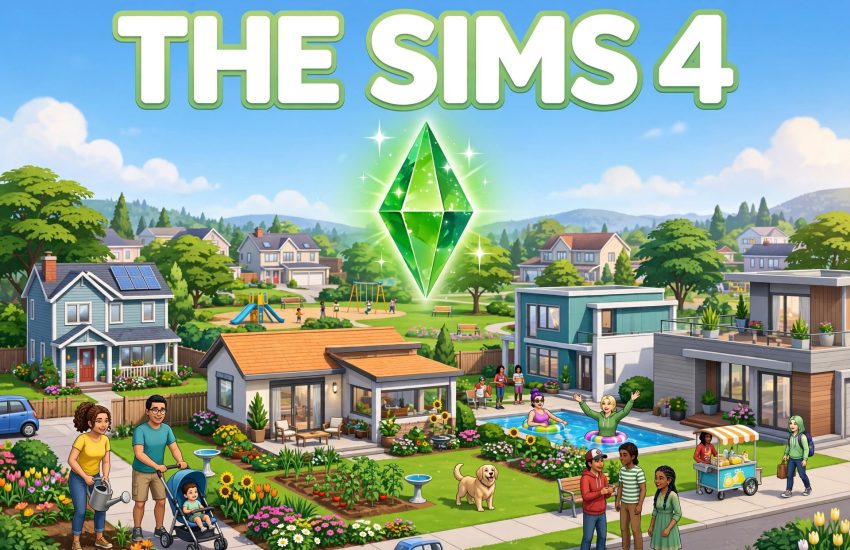
The Sims 4 is a life simulation game where you create people, called Sims, and guide their lives. You build homes, pick careers, form relationships, and watch your Sims grow from birth to old age.
The game has no set goal, so you play your own way. You can build a dream house, run a business, raise a family, or just cause chaos. Each Sim has traits, wishes, and moods that shape their story.
It is mainly a single-player game, so you play at your own pace. There is no online multiplayer, but the Gallery lets you share and download homes and Sims from other players.
2. Why Players Love The Sims 4
First, the freedom is huge. You can build any home, pick any job, and live any life. The game gives you tools, then lets you tell your own story.
Second, the Sims feel alive. They talk, laugh, argue, and react to the world around them. Small moments, like a first kiss or a new job, feel real.
Finally, the base game is free. You can try the full base game without paying, then decide if you want any paid packs. That low risk helps new players jump in.
3. Key Features of The Sims 4
- Create-a-Sim: design Sims with unique looks, traits, and goals.
- Build mode: build and furnish homes, room by room, with no limits.
- Live mode: guide your Sims through work, love, and daily life.
- Careers and skills: pick jobs, learn skills, and grow your Sims over time.
- The Gallery: share and download homes, rooms, and Sims from other players.
- Free base game: the base game is free-to-play on Steam, with paid packs sold separately.
These features work well together. The creation tools, the live mode, and the Gallery all give you a reason to keep playing, even after many hours.
4. The Sims 4 System Requirements for PC
Check the official Steam requirements before you install. The Sims 4 is light, so most modern PCs can run it.
Minimum:
- Operating system: Windows 10 (64-bit)
- Processor: Intel Core i3-3220 or AMD FX-4320
- Memory: 4 GB RAM
- Graphics: NVIDIA GeForce GTX 650 or AMD Radeon HD 7750, DirectX 11
- Storage: 51 GB of free space
Recommended:
- Operating system: Windows 10 (64-bit)
- Processor: Intel Core i5, 4 cores
- Memory: 8 GB RAM
- Graphics: NVIDIA GeForce GTX 650, DirectX 11
- Storage: 51 GB of free space
You also need a broadband internet connection, because the game needs an EA account link on Steam. Update your graphics drivers first, because old drivers can cause crashes.
5. How to Download The Sims 4 for PC (Official Method)
The sims 4 download for pc is only safe from Steam. Do not use other sites, because they may offer fake or harmful files.
- Open your browser and go to the official The Sims 4 page on Steam.
- Check that the page shows Electronic Arts as the publisher and Free to Play as the price.
- Click Play Game, then sign in to your Steam account, or create a free account.
- Install the Steam client if it is not on your PC yet, then open it.
- In your Library, find The Sims 4 and click Install.
- Pick your install drive, then let Steam finish the 51 GB download. It may take a while, so use a wired connection if you can.
Steam is the only official source for this game on PC. On Steam, you will also need to link an EA account, as explained below.
6. Step-by-Step Installation Guide
Once Steam has the game, the install is simple. Follow these steps in order.
- Open the Steam client and sign in to your account.
- Go to your Library, find The Sims 4, and click Install.
- Choose the drive and folder, then click Next to start the download.
- Wait for the download to finish. You can watch the progress in the Downloads section.
- When the game shows as ready, click Play to launch it for the first time.
- Link your EA account when the game asks, or create a free EA account.
- Allow Windows Firewall access if it asks, then create your first Sim and start playing.
If the download stalls, pause and resume it in Steam. A large file can take time, so let it run in the background.
7. How to Play The Sims 4 for the First Time
Start by creating your first Sim in Create-a-Sim. Pick their look, traits, and goal, because these shape how they act.
Next, move into a home and learn the basic controls. Buy a bed, a fridge, and a bathroom first, because your Sim needs them every day.
Then find a job and start earning Simoleons. A steady income lets you buy better furniture and grow your home.
Finally, meet other Sims and build relationships. Friends, romance, and family are the heart of the game, so talk to your neighbours often.
8. Is The Sims 4 Free? Price and Editions
Yes, The Sims 4 base game is free to play. It became free permanently on 18 October 2022, and the sims 4 download for pc gives you the full base game for free.
- Base game: free-to-play, with the full life simulation game included.
- Expansion packs: paid separately, and they add new worlds, jobs, and features.
- Game packs and stuff packs: paid separately, and they add smaller sets of items and gameplay.
- EA account: on Steam, you must link an EA account to play.
The packs are not free, so buy them only if you want them. The base game alone offers hundreds of hours of play.
9. The Sims 4 Tips for New Players
- Start small: a small home is easier to manage than a big one.
- Meet your needs: keep your Sim fed, rested, and happy, or their mood will fall.
- Pick a job early: a steady income helps you buy what you need.
- Use the Gallery: download free homes and Sims from other players to save time.
- Save often: use manual saves before big changes, so you can undo mistakes.
- Try the packs later: learn the base game first, then buy packs that fit your style.
New players often spend too much too soon. Start small, save money, and grow your home over time.
10. Frequently Asked Questions (FAQs)
Q1. Is The Sims 4 free on PC?
Yes. The base game is free-to-play on Steam, and it has been free since 18 October 2022.
Q2. Do I need Steam to play The Sims 4?
You need Steam or the EA app. This guide uses Steam, but both are official.
Q3. Do I need an EA account on Steam?
Yes. On Steam, you must link an EA account to play The Sims 4.
Q4. How big is the sims 4 download for pc?
The base game needs 51 GB of free space, and packs need extra space.
Q5. Are The Sims 4 expansion packs free?
No. Expansion, game, and stuff packs are paid separately. Only the base game is free.
Q6. Can I play The Sims 4 offline?
Yes, you can play offline after you install and link your EA account, but some features need the internet.
Q7. What are the minimum system requirements?
You need Windows 10 64-bit, an Intel Core i3-3220, 4 GB of RAM, a GTX 650, and 51 GB of free space.
Q8. Is The Sims 4 safe to download from Steam?
Yes, when you use the official Steam store page, which delivers the genuine game from EA and Maxis.
Conclusion
The Sims 4 is a free, relaxing life game that is easy to start. The base game costs nothing, runs on a modest PC, and offers endless stories. Finish your sims 4 download for pc on Steam, link your EA account, and create your first Sim today.
Related Guides
- Enshrouded for PC: How to Download & Install on Windows
- Palworld for PC: How to Download & Install on Windows
- Valheim for PC: How to Download & Install on Windows