 Posted by

SuperSlicer for PC: Download & Install on Windows (2026)
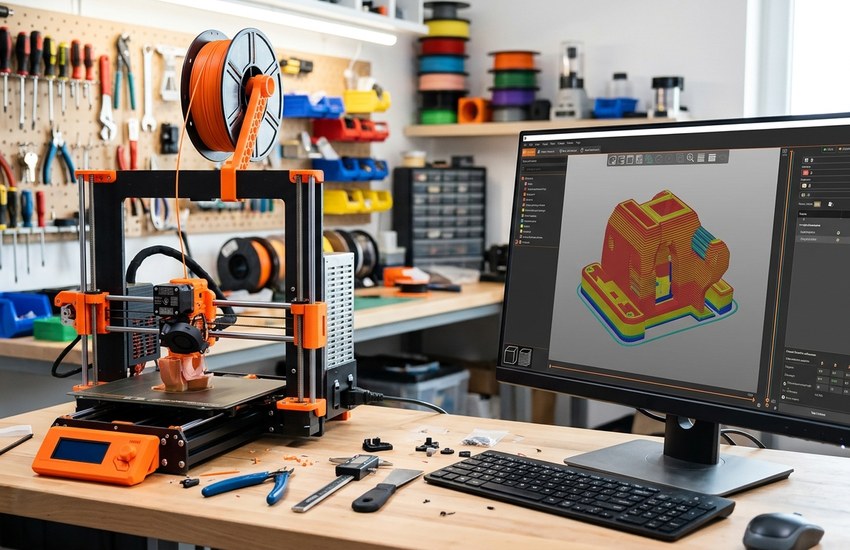
PrusaSlicer is one of the most capable free slicers in 3D printing, but experienced users often want finer control over walls, seams and calibration than the standard release offers. SuperSlicer is the fork built for exactly that. This superslicer download for pc guide covers the official GitHub download, the simple extract-and-run setup on Windows, and your first sliced file.
SuperSlicer is free and open-source software, released under the AGPL licence, and it is developed in the open on GitHub by supermerill. There is no paid tier and no licence key — but there is also no conventional Windows installer, so the setup steps below show the extract-the-zip method the project actually uses.
What Is SuperSlicer?
SuperSlicer is a free, open-source G-code generator — a slicer — for 3D printers, maintained by developer supermerill. In the project’s own words, it is a PrusaSlicer fork (which is itself a Slic3r fork): based on PrusaSlicer by Prusa Research, which is based on Slic3r by Alessandro Ranellucci and the RepRap community. It was previously known as Slic3r++.
The program takes 3D models in STL, OBJ and AMF formats and converts them into G-code instructions for FFF printers, or PNG layers for mSLA resin printers. It is compatible with printers running Marlin, Prusa, Klipper and similar firmware, and it inherits the full PrusaSlicer feature set: multiple G-code flavours, several objects with distinct print settings on one plate, multi-material printing, variable layer heights, many infill patterns such as honeycomb, gyroid and Hilbert, supports, rafts, brims and skirts, STL auto-repair and a 3D preview.
On top of that base, SuperSlicer adds its signature fine-tuning: custom-made generated calibration tests and built-in calibration prints, an “only one perimeter on top” option and other top-surface controls, a denser infill option for supporting solid top layers, better thin walls, options to change hole dimensions and geometry, better overhangs, a reworked brim with inside/outside-only and “ears” options and per-object control, new seam options, a built-in object generation script, and the ability to join perimeters to avoid travel moves.
Key Features
- Built-in calibration tests: Custom-made generated calibration tests and calibration prints help you dial in a printer and filament without hunting down test files.
- Top-surface fine-tuning: An “only one perimeter on top” option, other top-surface controls and denser infill under solid top layers improve visible finish.
- Better thin walls and holes: Improved thin-wall handling plus options to change hole dimensions and geometry for more accurate functional parts.
- Reworked brim and seams: Brim can be inside-only, outside-only or use “ears”, set per object, and new seam options give cleaner part surfaces.
- Full PrusaSlicer base: Multi-material printing, variable layer heights, many infill patterns, supports, custom G-code macros and post-processing scripts.
- Broad printer compatibility: Outputs G-code for FFF printers running Marlin, Prusa, Klipper and other firmware, plus PNG layers for mSLA printers.
- Standalone and dependency-free: Prebuilt 64-bit releases run without installing any dependencies, with a complete command-line interface included.
System Requirements
- Operating System: Windows 10 or 11 (64-bit) — the prebuilt Windows releases are 64-bit builds
- Processor: Any modern multi-core Intel or AMD processor handles slicing comfortably
- RAM: No official minimum is published; 8 GB or more is a sensible general figure for large models
- Storage: A few hundred MB for the extracted program, plus room for models and sliced G-code files
- Graphics: A display and GPU capable of rendering the 3D preview of your models
- Dependencies: None — the official release package runs without installing any extra software
- Internet: Only needed to download the release from GitHub
Note: SuperSlicer’s official documentation publishes no minimum system specifications, so the figures above are honest general guidance, not official minimum requirements.
How to Download SuperSlicer (Official Method)
SuperSlicer’s only official download source is its GitHub repository, where prebuilt Windows, Linux and macOS 64-bit releases are published on the Releases page. Avoid look-alike download sites and old project pages — the GitHub releases are the genuine builds, published by the developer. Windows users can alternatively install it through Chocolatey or Scoop.
Official Website: Download SuperSlicer from the official website
Step-by-Step Installation
- Open the official SuperSlicer GitHub repository linked above.
- Click “Releases” to open the releases page (github.com/supermerill/SuperSlicer/releases).
- Choose your build: the release marked “Latest” is the stable build, while newer “Pre-release” builds are betas.
- Under that release’s Assets, download the Windows 64-bit zip package.
- Save the zip file to your Downloads folder.
- Right-click the zip and choose “Extract All”, then extract it to a folder you will keep, such as Documents or a dedicated Programs folder — there is no installer to run.
- Open the extracted folder and double-click the SuperSlicer executable to launch it; create a desktop shortcut if you want quicker access.
Tip: Because SuperSlicer runs from its extracted folder, do not delete or move it after extracting — your shortcut points to it. To update, extract a newer release to a fresh folder and launch it from there.
How to Slice Your First Print in SuperSlicer
- Launch SuperSlicer and add or confirm a printer profile that matches your machine and its firmware, such as Marlin or Klipper.
- Import your model with the Add button — STL, OBJ and AMF files are supported — and arrange it on the virtual build plate.
- Choose your print settings, filament and layer height; start from the profile defaults before changing advanced options.
- If the model has overhangs, enable supports, and adjust the brim if first-layer adhesion needs help.
- Click “Slice now” and inspect the preview layer by layer, checking walls, seams and supports before exporting anything.
- Click “Export G-code”, save the file, copy it to your printer’s SD card or USB drive, and start the print.
Is SuperSlicer Really Free? The Honest Picture
Yes. SuperSlicer is free, open-source software under the GNU Affero General Public License, version 3 (AGPL-3.0). There is no paid tier, no subscription, no licence key and no feature reserved for an upgrade.
The honest caveats are about release status and packaging, not price. GitHub marks version 2.5.59.13 (July 2024) as the latest stable release, and every newer build — the 2.5.60.x line and the 2.7 series — is marked as a pre-release, so the newest features currently live in beta builds that may be less polished. There is also no conventional Windows installer: the official build is a zip you extract and run. Finally, the project publishes no official minimum system requirements, so treat any exact “official specs” you see on other sites with suspicion.
Frequently Asked Questions
Is SuperSlicer safe to download?
Yes, from the official GitHub repository linked above, which is where developer supermerill publishes the releases. Download the Windows package from that Releases page rather than third-party download sites or old project pages, which may carry outdated or altered builds.
Is SuperSlicer free?
Yes, entirely. It is open-source software under the AGPL-3.0 licence, with no paid tier, no subscription and no activation. The full feature set is in the free GitHub release.
What is the difference between SuperSlicer and PrusaSlicer?
SuperSlicer is a fork of PrusaSlicer, so it shares the same base features, then adds finer controls: built-in calibration tests, top-surface options such as “only one perimeter on top”, better thin walls, hole size adjustments, a reworked brim and extra seam options.
Which printers does SuperSlicer work with?
Any FFF printer that accepts standard G-code, including machines running Marlin, Prusa or Klipper firmware (Prusa, Creality, Voron and others), and mSLA resin printers, for which it exports PNG layers instead of G-code.
Conclusion
SuperSlicer takes everything PrusaSlicer does well and adds the calibration tools and fine surface controls that experienced users ask for — completely free and open source. Download the stable release from the official GitHub Releases page, extract the zip, and slice your first model with settings you can genuinely fine-tune.
Download SuperSlicer from the Official Website
Related Guides
- PrusaSlicer for PC: Download & Install on Windows
- Ultimaker Cura for PC: Download & Install on Windows (2026)