 Posted by

ArmorPaint for PC: Download & Install on Windows (2026)
Painting textures directly onto a 3D model used to mean a heavyweight subscription suite, so this armorpaint download for pc guide starts with the honest headline: ArmorPaint is a lightweight, open-source, physically-based texture painting program from the Armory project, and its ready-made Windows build on the official site costs $19 as a one-time purchase. There is no subscription, and the source code is on GitHub, so building it yourself from source is free if you have a developer toolchain.
This guide covers the official download from armorpaint.org, how the portable Windows version runs with no installation, and how to paint your first PBR material. It also explains the pricing plainly: a no-cost download claim is only ever true for the self-compiled source build, never for the official pre-built binary.
What Is ArmorPaint?
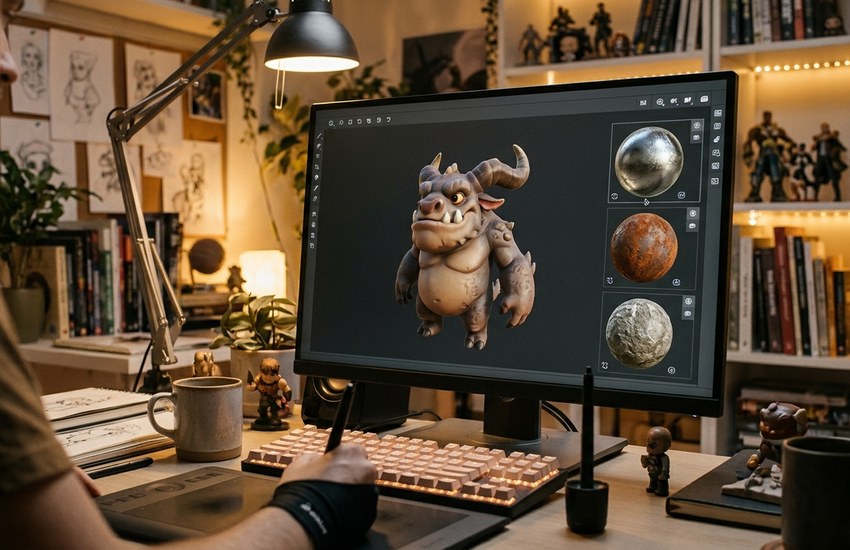
ArmorPaint is stand-alone software for physically-based (PBR) texture painting, developed within the Armory / Armory3D project by Lubos Lenco. You drag and drop a 3D model into the viewport and paint directly on its surface with instant feedback, building up colour, roughness, metalness and normal detail in real time. It is positioned as a lightweight alternative to Substance 3D Painter for artists who want direct 3D painting without a recurring subscription.
The workflow is node-based: procedural materials are assembled from fill layers and brush nodes, so effects such as edge wear are generated from the model’s geometry instead of painted by hand. Painting is GPU accelerated, running smoothly at 4K texture resolution on medium integrated hardware and up to 16K on a high-end GPU, with ray-traced baking, painting effects and rendering on Direct3D12, Vulkan and Metal, plus a path-traced viewport for checking materials under realistic light.
Live Link plugins connect it with Blender, Unreal Engine and Unity, texture baking supports high-poly models, and decal layers, plugins and local AI tools round out the program: neural texture creation, editing and upscaling run on your own machine, with no internet required once the AI models are downloaded. The whole program is remarkably small — under 10 MB to download.
Key Features
- Direct PBR painting: Paint physically-based materials straight onto a 3D model with instant viewport feedback.
- Node-based workflow: Build procedural materials from fill layers and brush nodes, and reuse the setup across models.
- GPU-accelerated painting: Smooth 4K painting on medium integrated hardware and up to 16K on a high-end GPU.
- Ray-traced baking and viewport: Ray-traced baking and rendering on Direct3D12, Vulkan and Metal, plus a path-traced viewport.
- Live Link plugins: Connect ArmorPaint with Blender, Unreal Engine and Unity without manual re-exporting.
- Texture baking and decals: Bake textures for high-poly models and apply decal layers for logos and labels.
- Local AI texture tools: Neural texture creation, editing and upscaling run locally once the models are downloaded.
System Requirements
- Operating System: Windows 10 or newer recommended on desktop; Linux and macOS (Apple Silicon) versions also exist
- Application Type: Portable application — no installation; unpack the ZIP and run ArmorPaint.exe
- Download Size: Less than 10 MB; the listed Windows ZIP is 2.8 MB
- Graphics: GPU-accelerated painting and rendering using Direct3D12, Vulkan or Metal
- Texture Performance: 4K painting on medium integrated hardware; up to 16K on a high-end GPU
- Video Memory (AI Tools): Minimum 6 GB of video memory recommended for neural / AI node processing
- Internet: Not required for AI processing once models are downloaded; processing is local
How to Download ArmorPaint (Official Method)
ArmorPaint is a small open-source project, which makes the official site even more important: unofficial portals repackage the tiny ZIP with their own downloaders, outdated builds or files the project never published. The genuine Windows build is sold only through the official download page linked below, and the source code lives in the project’s own GitHub repository. Never pay a third-party site for ArmorPaint, and never trust a page offering the pre-built binary at no cost — the official price is $19.
Official Website: Download ArmorPaint from the official website
Step-by-Step Installation
- Open the official ArmorPaint download page linked above.
- Choose the Windows build listed there (ArmorPaint_10_win64.zip) and complete the $19 purchase to unlock the download.
- Save the ZIP file to your Downloads folder.
- Right-click the ZIP and choose Extract All, then pick a folder you will keep, such as Documents.
- Open the extracted folder — there is no installer to run, because ArmorPaint is portable.
- Double-click ArmorPaint.exe to launch it; if Windows warns about an unrecognized app, click More Info and then Run Anyway, as the official manual describes.
- Keep the extracted folder in place, since the program runs directly from it.
Tip: Because ArmorPaint is portable, you can keep the extracted folder on a USB drive and run it on any Windows 10 or newer PC — note the neural AI tools work best with at least 6 GB of video memory.
How to Paint Your First Texture in ArmorPaint
- Launch ArmorPaint.exe and drag and drop your 3D model file into the viewport.
- Pick a brush, set its size and strength, then paint a base colour directly onto the model.
- Add a fill layer and adjust its colour, roughness and metalness for a clean PBR base.
- Open the node editor and connect brush or procedural nodes to generate effects such as edge wear.
- Rotate the model and switch on the path-traced viewport to check the material under realistic lighting.
- Export your finished textures at the resolution your project needs, up to 4K or 16K depending on your GPU.
ArmorPaint Pricing: The Honest Picture
Here is the part many download pages get wrong, stated plainly. ArmorPaint is open source: its source code is published on GitHub under an open licence, and anyone with a developer toolchain — Visual Studio with clang on Windows, for example — can compile that source into a working program at no cost.
The ready-made build is different. The pre-built Windows binary on the official download page is a paid product: $19, one time, with no subscription, and the download page states a no-questions-asked refund policy. The same $19 build is also sold through the project’s itch.io page. That is how most users should get ArmorPaint — you pay for a tested, packaged build — but it is not a no-cost download, and this guide will not pretend otherwise. In short: source you compile yourself is free; the official finished build costs $19 once.
Frequently Asked Questions
Is ArmorPaint safe to download?
Yes, from the official website linked above, run by the ArmorPaint / Armory project itself — the only genuine source of the pre-built Windows build. Avoid third-party sites offering the binary at no cost: the official build costs $19, so a no-cost copy elsewhere is not the project’s file.
How much does ArmorPaint cost?
The official pre-built Windows build costs $19 as a one-time purchase, with a no-questions-asked refund policy and no subscription. Compiling the open-source code from GitHub yourself is free, but it requires a developer toolchain.
Does ArmorPaint need to be installed on Windows?
No. ArmorPaint is portable: download the ZIP, extract it, and run ArmorPaint.exe. If Windows shows an “unrecognized app” warning, choose More Info and then Run Anyway, as the official manual instructs.
Is ArmorPaint a good alternative to Substance 3D Painter?
For many artists, yes. It covers direct PBR painting, node-based procedural materials, ray-traced baking and Live Link to Blender, Unreal Engine and Unity in a download under 10 MB, at $19 one time instead of a subscription — though Substance still offers a larger material library.
Conclusion
ArmorPaint packs node-based PBR painting, GPU-accelerated 4K to 16K textures, ray-traced baking and Live Link tools into a portable program under 10 MB. Get it the honest way: buy the $19 pre-built build from the official website, or compile the open source yourself — then launch ArmorPaint.exe and paint.
Download ArmorPaint from the Official Website
Related Guides
- Blender 5.1.0 Free Download for Windows [Latest]
- Material Maker for PC: How to Download and Install on Windows (2026 Guide)