 Posted by

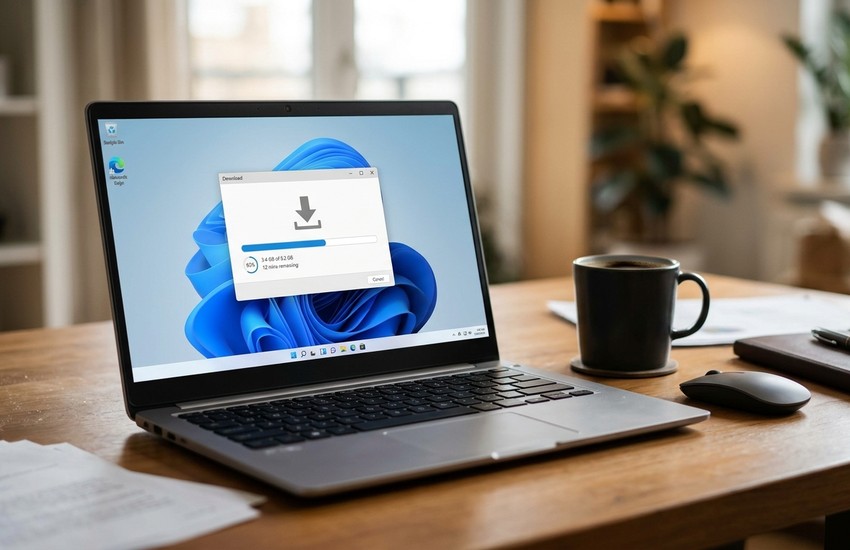
Your browser downloads are slow, they fail halfway, and you cannot grab the video you are watching. This xdm download for pc guide shows you how to get the free download manager, how to install it on Windows 10 and Windows 11, and how to start your first download. XDM speeds up downloads, resumes broken ones, and catches videos from your browser.
What Is XDM?
XDM, short for Xtreme Download Manager, is a free and open-source download manager for Windows, macOS, and Linux. It splits each file into pieces and downloads them at the same time, which makes large files finish much faster than a browser can manage. It also resumes a download after a broken connection, so you never start over from zero.
The tool adds a browser extension for Chrome, Edge, and Firefox that catches video links as you watch them. A small download button appears on videos, and one click sends the file to XDM. It also queues downloads, schedules them for later, and converts videos to MP3 when you only need the sound.
Key Features
- Faster downloads: splits files into parts and downloads them in parallel.
- Resume support: picks up a broken download where it stopped.
- Video grabber: catches videos from YouTube and other sites with one click.
- Browser integration: works with Chrome, Edge, Firefox, and more through an extension.
- Download scheduler: queue files and set them to run at a time you choose.
- Speed limiter: cap download speed so browsing stays smooth.
- Open source: free forever, with no ads and no paid edition.
System Requirements
- Operating system: Windows 10 or Windows 11 (64-bit)
- Processor: any modern CPU
- RAM: 512 MB minimum; 2 GB is better for large files
- Storage: around 50 MB for the program, plus room for downloads
- Browser: Chrome, Edge, or Firefox for the video grabber
- Internet: needed to download XDM and your files
XDM Download for PC: Official Method
Always get the program from the official source so you receive the genuine, untouched software. Follow these steps:
- Open your browser and go to the Download XDM from the official website.
- On the official XDM site, click the Download button for Windows.
- Save the installer file to your Downloads folder.
- Wait for the download to finish before you open it.
Avoid third-party download sites that bundle extra software. The official website above is the only source you need.
The whole xdm download for pc process usually takes only a few minutes on a normal broadband connection. Once the file is saved on your computer, you can install it whenever you are ready.
XDM Download for PC: Step-by-Step Installation
- Open your Downloads folder and double-click the XDM installer.
- Accept the licence agreement when the wizard asks you to.
- Keep the default install location, unless you have a reason to change it.
- Click Install and wait for the setup to finish.
- Click Finish to close the wizard.
- Open XDM from the Start menu or desktop shortcut.
- Install the browser extension when XDM asks, so it can catch videos.
- The main window opens with an empty download list, ready for your first file.
XDM Download for PC: How to Download Your First File
Copy the link of the file you want, then open XDM and click the plus button to paste it. Check the save folder and file name, then click Download Now. XDM splits the file into parts and shows the speed and progress in the main window. When it finishes, the file waits in your chosen folder, and you can open it straight from XDM. If you have just completed the xdm download for pc and installation above, you are ready to begin.
- Copy the download link of the file you want.
- Open XDM and click the plus button to add a new download.
- Paste the link into the address box.
- Check the save folder and the file name.
- Click Download Now to start the download.
- Watch the speed and progress in the main window.
- Double-click the finished file in XDM to open it.
XDM Download for PC: Is It Free? The Price Explained
Yes, XDM is completely free. It is open-source software under the GPL licence, with no paid version, no ads, and no limits on speed or file size. The project is funded by donations, but every feature, including the video grabber and scheduler, is yours from the first launch. There is no trial clock on this xdm download for pc, and no feature that stops working after a month.
Frequently Asked Questions
Is XDM safe to install?
Yes, when you download it from the official xtremedownloadmanager.com website. It is a well-known open-source project, and the official installer contains no bundled software.
Does XDM work on Windows 11?
Yes. It runs on both Windows 10 and Windows 11, in 64-bit editions.
Can XDM download YouTube videos?
Yes, it can grab videos from many sites for your own offline viewing, but respect copyright and use it only for videos you are allowed to save.
Does XDM really speed up downloads?
Yes. It splits each file into several parts and downloads them at once, which helps most on fast connections.
Can I pause and resume a download?
Yes. XDM can pause a download and resume it later, even after you restart your PC.
Conclusion
XDM is a fast, free download manager that makes large files finish sooner, resumes broken downloads, and grabs videos from your browser with one click. It is open source and costs nothing. Get it only from the official website linked in this guide, follow the steps above, and your first download will be running today. It takes only a few minutes from setup to first file. For a safe xdm download for pc, stick to the official link in this guide and ignore mirror sites that bundle extras.
Related Guides