 Posted by

Adobe XD for PC: How to Download and Install on Windows (2026 Guide)
Before an app or website gets built, someone has to design how it looks and how each screen connects to the next. Adobe XD was created for exactly that work: it is a vector-based design and prototyping tool where you lay out screens for websites and mobile apps, link them into clickable prototypes, and share the result with clients or developers through a simple web link.
This guide shows you how to get Adobe XD from the official Adobe website, install it on Windows through the Creative Cloud desktop app, and start your first design. We also explain the system requirements and XD’s current status honestly: Adobe has placed XD in maintenance mode, and it is no longer sold as a standalone plan — the details are covered in the pricing section below.
What Is Adobe XD?
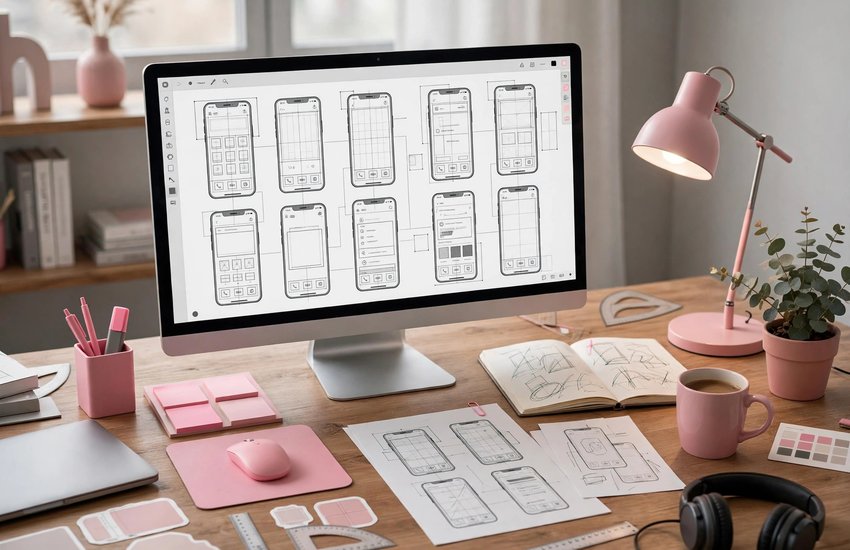
Adobe XD is a user-experience design application for Windows and macOS. Designers use it to create wireframes, full visual designs and interactive prototypes for websites, mobile apps and other digital products. You draw screens on artboards with vector shapes and text, turn repeated elements into reusable components, and then switch to Prototype mode to connect screens with taps, transitions and animations.
Finished work can be shared as a live link: stakeholders click through the prototype in a browser and leave comments, and developers can open design specs to read measurements, colours and exportable assets. XD documents can be saved as cloud documents with version history and coediting, so several designers can work on the same file. Note that Adobe now keeps XD in maintenance mode — it remains available and supported for existing users, but Adobe is not adding new features to it.
Key Features
- Vector design tools: Artboards, shapes, text and pen tools built for screen design at any resolution
- Components and states: Create reusable buttons, cards and menus, with hover, tap and other interactive states
- Interactive prototyping: Link artboards with transitions and Auto-Animate to simulate real app behaviour
- Repeat Grid: Duplicate lists and galleries in one drag, then swap in real text and images quickly
- Sharing and design specs: Publish prototype and spec links for comments, review and developer handoff
- Cloud documents and coediting: Work on the same file with teammates in real time, with version history saved
- Plugins and Adobe integration: Extend XD with plugins, and bring in assets from Photoshop, Illustrator and Creative Cloud Libraries
System Requirements
- Operating System: Windows 10 (64-bit) version 1803 or later, or Windows 11, with the latest updates installed
- Processor: A modern multicore Intel or AMD CPU
- RAM: 4 GB minimum; 8 GB or more recommended for large files with many artboards
- Storage: Around 3 GB of free space for the application, plus room for your design files
- Display: 1280 x 800 resolution minimum; 1920 x 1080 recommended
- Internet Connection: Required to download Creative Cloud, sign in, share prototype links and receive updates
- Adobe Account: A free Adobe ID is required, and your Creative Cloud plan must include Adobe XD
How to Download Adobe XD (Official Method)
Adobe XD is distributed only by Adobe, through the Creative Cloud desktop app, and only to accounts whose plan includes it. Because XD is in maintenance mode, Adobe no longer sells it as a standalone plan; it is available with some Creative Cloud plans (including the All Apps plan). The official product page below shows XD’s current status and availability.
Official Website: Download Adobe XD from the official Adobe website
Step-by-Step Installation
- Open the official Adobe XD page linked above and check which Creative Cloud plans currently include XD.
- Sign in on adobe.com with your Adobe ID, or create a free Adobe account if you do not have one.
- Download the Creative Cloud desktop app installer from Adobe and run it on your PC.
- Sign in to the Creative Cloud desktop app with the same Adobe ID.
- Go to the Apps section and look for Adobe XD in the list of apps available on your plan.
- Click Install and wait for the download and installation to finish.
- Click Open in Creative Cloud, or launch Adobe XD from the Start menu, and sign in if asked.
Note: If XD does not appear in your Creative Cloud app list, your current plan does not include it. Check the plan details on Adobe’s website — XD availability is tied to specific Creative Cloud plans.
How to Start Your First Design in Adobe XD
- Open Adobe XD and choose an artboard preset on the start screen — for example a web size or a phone size.
- Draw your layout with the rectangle, text and pen tools, and add images by dragging them onto the artboard.
- Use Repeat Grid for repeating elements such as lists or photo galleries, then replace the placeholder content.
- Select repeated elements and turn them into Components so a change updates every copy at once.
- Switch to Prototype mode and drag the blue connectors from elements to the artboards they should open.
- Click the Desktop Preview play button to click through your prototype, then use Share to create a link for feedback.
Adobe XD Pricing: Maintenance Mode and Creative Cloud Availability Explained
Here is the honest situation. Adobe XD is no longer sold as a standalone subscription, and Adobe has placed it in maintenance mode: existing users keep access and support, but no new features are being developed. XD is still included with some Creative Cloud plans — notably the All Apps plan — so if you subscribe to one of those plans, you can install and use XD as described in this guide.
Because availability has changed over time, always confirm on the official XD page linked above whether your plan includes it before subscribing. If you mainly need a UI design tool and XD is not in your plan, Adobe’s current design focus is elsewhere, but for opening, editing and sharing existing XD files, the genuine app through Creative Cloud remains the correct and legal route. Prices for Creative Cloud plans vary by country and change over time, so check Adobe’s website for current figures.
Frequently Asked Questions
Is Adobe XD safe and legal to download?
Yes — when you get it from the official Adobe website linked in this guide and install it through the Creative Cloud desktop app. That is the genuine, signed Adobe software, used legally under a Creative Cloud plan that includes XD.
Is Adobe XD discontinued?
Not exactly. Adobe has placed XD in maintenance mode: it is still available and supported for users whose Creative Cloud plan includes it, but Adobe is not developing new features and no longer sells it as a standalone plan.
Can I buy Adobe XD on its own?
No. Adobe no longer offers XD as a separate subscription. Access now comes through Creative Cloud plans that include it, such as the All Apps plan — check Adobe’s website for the current list.
Can other people view my XD prototype without owning XD?
Yes. When you create a share link, anyone can open the prototype or design specs in a web browser and leave comments, without installing anything.
Conclusion
Adobe XD is still a capable tool for designing interfaces and building clickable prototypes, and it remains the right application for working with existing XD files. Just go in with clear expectations: it is in maintenance mode and comes with certain Creative Cloud plans rather than on its own. Check availability on the official Adobe page, then install it through the Creative Cloud desktop app.
Download Adobe XD from the Official Adobe Website
Related Guides
- Adobe Dreamweaver for PC: How to Download and Install on Windows (2026 Guide)
- Adobe Photoshop for PC: How to Download and Install on Windows (2026 Guide)