 Posted by

Mecha BREAK for PC: How to Download & Install on Windows
Love giant robots and fast aerial combat? This guide covers the mecha break download for pc from the official source, so you can install it safely on Windows 10 or 11. Mecha BREAK is completely free to play, and the setup is quick and simple.
Mecha BREAK launched on July 1, 2025, and quickly became one of the most talked-about mech games on PC. It mixes ground combat with fast flight, huge mechs, and team battles, so every match feels big and loud.
1. What Is Mecha BREAK?
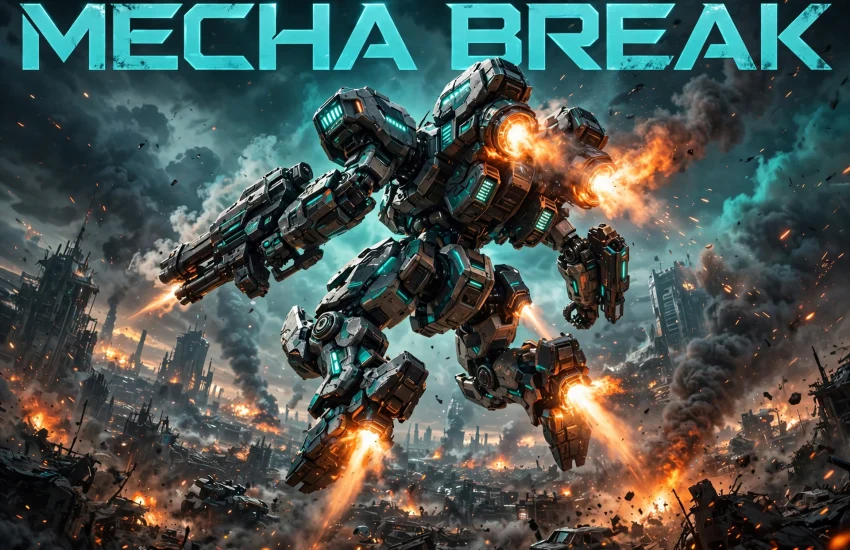
Mecha BREAK is a free-to-play multiplayer mech shooter from Amazing Seasun Games. You pilot a Striker, a powerful combat mech, and fight in large team battles across huge maps. Each Striker has its own weapons, abilities, and flight style, so every pilot feels different.
The game stands out because of its speed. Unlike slow mech games, Mecha BREAK lets you fly, dash, and boost across the battlefield. You can fight on the ground, then take off into the sky in seconds. Therefore, matches feel more like an aerial dogfight than a slow robot battle.
Mecha BREAK offers 6v6 team battles and a large-scale extraction mode called Mashmak. In Mashmak, you explore a huge map, fight enemy pilots, and escape with your loot. The game also gets regular updates with new Strikers, maps, and events.
2. Key Features of Mecha BREAK
Fast mech combat: Strikers can fly, dash, and boost in any direction. Combat is quick and fluid, with both close-range brawls and long-range duels.
Many unique Strikers: Each mech has its own role, from heavy assault to fast support. Some focus on raw firepower, others heal allies, and a few scout the battlefield.
Huge battlefields: Maps are large and open, with cities, deserts, and ruined landscapes. The scale makes every battle feel epic, with plenty of room for flanking.
Mashmak extraction mode: This large PvPvE mode mixes player fights with AI enemies and loot. You drop in, gather supplies, fight rival pilots, and try to escape alive.
Customization and updates: You can change your Striker’s paint, parts, and weapons, so no two pilots need to look the same. New Strikers, maps, and seasonal events also arrive often.
3. Mecha BREAK System Requirements for PC
Check that your PC meets the requirements before you download. A machine that meets the minimum specs will run Mecha BREAK, but the recommended specs give smoother frames and better visuals.
Minimum system requirements:
- OS: Windows 10 / 11 (64-bit)
- Processor: Intel Core i7-6700K / AMD Ryzen 5 2600
- Memory: 16 GB RAM
- Graphics: NVIDIA GeForce GTX 1650 / AMD Radeon RX 570
- Storage: 60 GB available space
- Network: Broadband internet connection
Recommended system requirements:
- OS: Windows 10 / 11 (64-bit)
- Processor: Intel Core i7-10700K / AMD Ryzen 7 5800X
- Memory: 16 GB RAM
- Graphics: NVIDIA GeForce RTX 3060 / AMD Radeon RX 6700 XT
- Storage: 60 GB available space (SSD recommended)
An SSD is worth it if you have one, since it cuts loading times. Also, keep your graphics drivers up to date for the best performance.
4. mecha break download for pc — How to Download the Official Version
The safest way to get Mecha BREAK is through Steam. The base game is free, and Steam handles downloads, updates, and matchmaking for you. Follow these steps to start the official mecha break download for pc:
- Open the Steam client on your PC, or install it from the official Steam website if you do not have it yet.
- Sign in to your Steam account, or create a free one.
- Visit the official Mecha BREAK Steam page: Mecha BREAK on Steam.
- Click the Play Game button to add it to your library.
- Choose your install location, then click Install to begin the download.
- Wait for the download to finish. The game needs about 60 GB of free space.
That is all it takes. Steam keeps Mecha BREAK updated on its own, so you will always have the latest version. Never download the game from random third-party sites, since those files can carry malware.
5. Step-by-Step Installation Guide for Mecha BREAK on Windows
Once the download finishes, the install is simple. Steam does most of the work for you, but here is the full process step by step.
- Finish the download: Open Steam, go to your Library, and check that Mecha BREAK shows as fully downloaded.
- Launch the game: Click Play in your Library. Steam may install a few extra files on the first launch.
- Wait for first-time setup: The game may download a small update or shader files on its first run. Let it finish before you play.
- Sign in and set up: Pick a pilot name and accept the terms. This takes less than a minute.
- Adjust your settings: Set your resolution and graphics quality, and check your controls before your first match.
- Play the tutorial: A short tutorial teaches movement, flight, and weapons. It is the fastest way to learn the basics.
If the game asks for an update on launch, let it finish before you play. Updates often include balance fixes and new content, so the short wait is worth it.
6. How to Play Mecha BREAK on PC: Your First Steps
Once the mecha break download for pc is complete and the game is installed, your first matches should be about learning, not winning. Start with a balanced Striker that is easy to control, such as one with a simple rifle and a clear flight ability. Then focus on the basics: movement, aiming, and using cover.
Flight is the key skill in Mecha BREAK. Learn to boost, hover, and dodge in the air, since staying still makes you an easy target. For instance, use short bursts of flight to reposition, then land behind cover to recharge your energy.
Watch your energy meter closely. Flying and dashing drain energy, and an empty meter leaves you slow and open to attack. Learn when to fight and when to retreat, so you can repair and return at full strength.
7. Mecha BREAK Price and Editions
Mecha BREAK is FREE TO PLAY. The mecha break download for pc costs nothing, and all core modes are open to every player. New Strikers can be unlocked by playing the game.
Like most free games, Mecha BREAK offers optional in-game purchases. These include cosmetic items such as mech paint jobs, pilot outfits, and battle pass content. However, these purchases are cosmetic only and do not give paying players an advantage.
Paid bundles and a battle pass offer extra cosmetics for those who want them. Both are fully optional — the complete game and ranked matches are free.
8. Tips to Get the Best Experience in Mecha BREAK
Learn two or three Strikers well: Mastering a small set of mechs beats trying them all at once. You will learn their weapons and best positions much faster.
Manage your energy: Flight and dashes drain energy fast. Save some energy for escapes, and land to recharge when you are safe.
Use headphones: Engine sounds and weapon fire tell you where enemies are. Good audio awareness gives you a real edge in fast fights.
Lower your graphics if frames drop: Smooth gameplay matters more than pretty visuals in a fast shooter. Turn down shadows and effects first if your PC struggles.
Try Mashmak mode: The extraction mode is a great way to earn loot and learn the maps. It is slower than team battles, so it is good practice for new pilots.
9. Common Problems and Fixes for Mecha BREAK on PC
Game will not launch: Verify the game files in Steam. Right-click Mecha BREAK in your Library, choose Properties, then Installed Files, and click Verify integrity.
Low frame rate or stuttering: Lower your graphics settings, close background apps, and update your GPU drivers. An SSD also helps if the game is on a slow hard drive.
High ping or lag: Use a wired connection if you can. Also, check that the game picked the closest server region, and close downloads running in the background.
Long loading times: Move the game to an SSD if you have one. Large maps load much faster from solid-state storage.
Crashes during matches: Make sure Windows is fully updated and your drivers are current. If crashes continue, lower your graphics settings and check for overheating.
10. Frequently Asked Questions About Mecha BREAK
Is Mecha BREAK free to play on PC?
Yes, Mecha BREAK is completely free to play on PC. The mecha break download for pc is free from Steam, and all core modes are open to every player. Optional purchases are only for cosmetics.
Do I need Steam to play Mecha BREAK on PC?
Yes, you need the Steam client to download and play Mecha BREAK on PC. Steam manages the download, updates, and matchmaking. Just install Steam, create a free account, and add the game.
Is Mecha BREAK in Early Access?
No, Mecha BREAK is a full release that launched on July 1, 2025. It is not in Early Access. The developers continue to add new Strikers, maps, and events through regular updates.
Can I play Mecha BREAK offline?
No, Mecha BREAK is an online multiplayer game only. You need a stable internet connection, since every mode involves real players. There is no single-player or offline mode.
How much storage space does Mecha BREAK need?
Mecha BREAK needs about 60 GB of free storage space on your PC. An SSD is recommended for faster loading, though the game will also run from a regular hard drive.
What is Mashmak mode in Mecha BREAK?
Mashmak is a large PvPvE extraction mode. You drop into a huge map, fight AI enemies and rival pilots, collect loot, and try to escape alive. It rewards smart play as much as good aim.
Can I play Mecha BREAK with a controller?
Yes, Mecha BREAK supports controllers on PC. Many players prefer mouse and keyboard for precise aiming, but a controller works well too. You can switch at any time in the settings.
Is Mecha BREAK pay-to-win?
No, Mecha BREAK is not pay-to-win. All paid items are cosmetic, such as paint jobs and battle pass rewards. Every Striker can be unlocked by playing, and skill decides matches, not spending.
Related Guides
- Warframe for PC: How to Download & Install on Windows
- Helldivers 2 for PC: How to Download & Install on Windows
- Destiny 2 for PC: How to Download & Install on Windows