 Posted by

LYNX SHARE for PC: How to Download & Install on Windows
Do you want to make beats, but the price of a big-name DAW keeps putting you off? This lynx share download for pc guide shows you how to install a free, open-source DAW that opens FL Studio and Ableton Live projects, and gives you three ways to work in one program. As a result, you can start making music today, without paying for a licence first.
One warning comes before everything else: LYNX SHARE is still in alpha. Therefore, expect bugs, save often, and keep backups of any project you care about. With that said, it is already a serious tool, and it is free for everyone.
1. What Is LYNX SHARE?
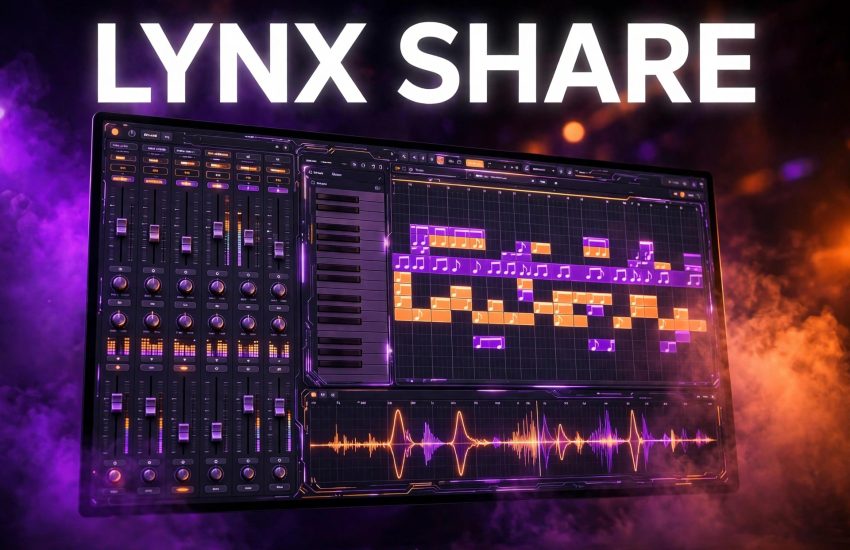
LYNX SHARE is a lightweight, open-source digital audio workstation by independent developer Ka1-S. By default, it works the way FL Studio does, with a Channel Rack, Piano Roll, Playlist, and Mixer, and the same shortcuts. In addition, it offers a clip-launch workflow in the style of Ableton Live, and a Simple one-window workflow in the style of BandLab and FL Studio Mobile. You can switch layouts at any time, and the project stays the same.
It opens FL Studio projects (.flp), Ableton Live sets (.als), and FL Studio Mobile projects (.flm), and it exports .flp and .als back. It is free under the AGPL-3.0 licence, with the source code public on GitHub. It is not made by, affiliated with, endorsed, or sponsored by Image-Line, the company behind FL Studio. It is a different, free product that was written from scratch.
2. Key Features of LYNX SHARE Download for PC
LYNX SHARE download for pc packs a full DAW workflow into a light program. On one Windows PC, its own measurements show it using about half the CPU of FL Studio while a song plays, with the same sound. Your own results will vary, but the program is clearly built to stay light.
- Three workflows: FL Studio-style patterns, Ableton-style clip launching, and a Simple one-window layout.
- Project compatibility: open .flp, .als, .flm, .dawproject, and MIDI files, and export .flp, .als, and .dawproject.
- 205 built-in instruments and effects: synths, drums, EQs, compressors, reverbs, and delays, each with a picture and wiki page.
- Big mixer: up to 127 insert tracks with 10 effect slots each, sends, and sidechain.
- Plugin support: VST3 and CLAP on Windows, plus VST2 through a bridge, including 32-bit plugins.
- Plugin crash protection: a crashing third-party plugin does not have to take your project down with it.
- Online sessions: work on one project with up to three other people, live or by sending files.
- Exports: WAV, MP3, FLAC, OGG, AIFF, M4A, stems, and MIDI, so finished tracks leave the program easily.
3. LYNX SHARE Download for PC System Requirements
LYNX SHARE runs on Windows, macOS, and Linux. For this guide, use the Windows build below.
- Operating system: Windows 10 or Windows 11, 64-bit edition.
- Version: v0.1.30-alpha at the time of writing, with new alpha releases arriving often.
- Processor: any modern Intel or AMD 64-bit processor.
- Memory: at least 4 GB of RAM, and 8 GB if you use many plugins at once.
- Disk space: at least 500 MB free for the app, plugins, and your first projects.
- Audio: any Windows audio device works, and ASIO support is included for low-latency recording.
- Note: the Windows build is not code-signed yet, so SmartScreen may warn you on first launch.
4. How to Get LYNX SHARE Download for PC: Official Method
Always get LYNX SHARE from its official site, where the download links point to the public GitHub releases. That way, you get the current alpha build, built from the public source.
- Open your browser and go to the official LYNX SHARE website.
- Find the download section, and pick the Windows installer or the portable zip for 64-bit Windows.
- Save the file to your Downloads folder, and check that it came from the official site or its GitHub releases.
- Do not use repacked copies from download portals, since alpha builds change fast and old copies can mislead you.
The same page links to the macOS and Linux builds, plus the Microsoft Store listing, if you use another system later.
5. LYNX SHARE Download for PC: Step-by-Step Installation
- Open your Downloads folder and double-click the LYNX installer, or extract the portable zip to a folder of your choice.
- If SmartScreen warns you, click More info, then Run anyway, since the Windows build is not code-signed yet.
- For the installer, follow the prompts. It installs per user, with no admin rights needed.
- Wait while setup finishes, then open LYNX SHARE from the Start menu or the extracted folder.
- On first launch, open the included demo project to confirm sound, the mixer, and the Piano Roll all work.
- Set your audio device in the settings, and pick ASIO if your interface supports it.
- Save a test project, and check that it reopens cleanly before you start real work.
6. How to Make Your First Beat in LYNX SHARE
New to music software? Start in the Simple layout, then move to the Pattern layout when you feel ready. Either way, your project stays the same when you switch.
- Open LYNX SHARE and switch to the Simple layout from View, then Layout style, if you want the easiest start.
- Pick a drum kit in the browser, and tap out a simple four-on-the-floor kick pattern.
- Add a snare on beats two and four, and hi-hats in between, to build a basic groove.
- Open the Piano Roll, pick a synth, and play a short melody of four to eight notes.
- Move to the Playlist, and arrange your pattern into an intro, a verse, and a chorus.
- Open the Mixer, balance the levels, and add a little reverb to the melody.
- Export a WAV file, listen to it outside the program, and save the project with a clear name.
- Back up the project file and any samples you used, since alpha software can still lose work.
If you already know FL Studio, use the default Pattern layout instead. The windows, mouse gestures, and shortcuts are where you expect them, so you can start at once.
7. Is LYNX SHARE Free? The Price Explained
Yes, fully. LYNX SHARE is free, with no account, no subscription, and no locked features. The licence is AGPL-3.0, the source is public, and donations are optional and never unlock anything. Everything in the program stays free for everyone.
That makes it very different from the paid DAWs it can exchange projects with. FL Studio itself was already covered in an earlier CrackUZI guide, and it is a separate, paid product from Image-Line. LYNX SHARE is not FL Studio, and buying nothing here still gives you the whole DAW. If you want to support the project, the official site accepts optional donations, but you never need to pay to use it.
8. LYNX SHARE Download for PC: Tips and Troubleshooting
Alpha software rewards careful habits. First, save often, and keep a backup copy of any project you care about. Second, check the plugin status list before you rely on a specific effect, since not every FL Studio plugin is recreated exactly yet. Third, if an update breaks something, the Help menu can install the previous version you had.
If a plugin crashes, LYNX SHARE’s crash protection should keep your project safe, but save and reload anyway before you continue. If you open an .flp and a sound seems wrong, read the plugin notes, since some native plugins are stand-ins with their own limits. Finally, report bugs on GitHub with the version number and steps to repeat them, since several fixes in recent releases came from user reports.
9. Frequently Asked Questions
Is LYNX SHARE really free for PC?
Yes. It is free and open source under AGPL-3.0, with no account, no subscription, and no paid features.
Is LYNX SHARE the same as FL Studio?
No. It is a different, free product by an independent developer. It is not affiliated with Image-Line, and it opens .flp files as a separate program.
Can it open my FL Studio projects?
Yes. It opens .flp files with channels, samples, patterns, arrangement, automation, and mixer settings, and it exports .flp back.
Can it open Ableton Live sets?
Yes. Live 11 and 12 sets open, with Session clips landing in an optional clip grid with scenes.
Which plugins does it support?
VST3 and CLAP on Windows, plus VST2 through a bridge, including 32-bit plugins on Windows.
Why does Windows warn me on first launch?
The Windows build is not code-signed yet, so SmartScreen warns once. Use More info, then Run anyway, for the official build.
Is it stable enough for daily work?
Not yet as a daily driver. It is alpha, so expect bugs, save often, and keep backups.
Does it work on Mac and Linux too?
Yes. macOS and Linux builds are listed on the official site, alongside the Windows build.
10. Conclusion
LYNX SHARE is one of the most exciting free DAWs around: three workflows, real project compatibility, and a light engine, all for $0. Get the lynx share download for pc only from the official site, start with the demo project, and make your first beat in the Simple layout. Remember it is alpha, keep backups, and enjoy a DAW that respects both your music and your wallet.
Related Guides
- Evernote for PC: How to Download & Install on Windows
- Clipchamp for PC: How to Download & Install on Windows
- Java for PC: How to Download & Install on Windows