 Posted by

Krush for PC: Download & Install on Windows (2026)
Some plugins polish a sound until it shines. Krush does the opposite, on purpose — it adds grit, crunch and digital destruction to drums, synths, guitars and vocals. This krush download for pc guide covers the original Krush by Tritik, a free bitcrusher and downsampler plugin favoured for lo-fi character rather than cleanliness.
This guide shows you how to download the free legacy version from Tritik’s official product page, install it on Windows, load it in your DAW, and use it on your first track. It also explains the page before you visit it: the same page now headlines the paid Krush2 and KrushPro successors, while the original Krush remains free as a legacy download — never confuse the two.
What Is Krush?
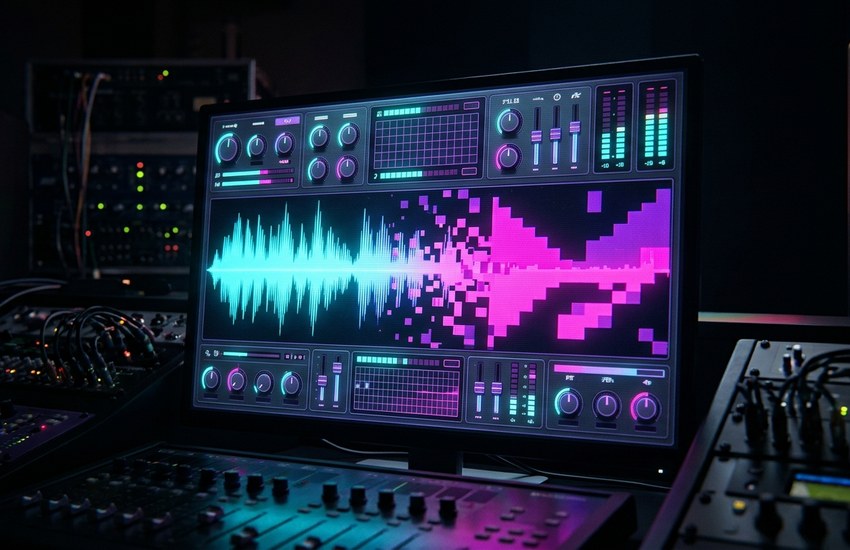
Krush is a bitcrusher and downsampler plugin developed by Tritik. It combines bit-depth reduction and sample-rate reduction — the two classic bit crushing processes — in one small plugin. Lowering the bit depth makes a clean recording sound crunchy and harsh, while downsampling folds high frequencies back down and adds the ringing aliasing artefacts associated with old samplers, early digital gear and retro game audio.
Around that core, Krush adds a warm drive stage, analog-modelled resonant filters for shaping the result, and a modulation section with an LFO that can run free or tempo-synced. That combination separates it from a basic bitcrusher: you are not just removing resolution, you are sculpting how the damage sounds and moves over time.
The result ranges from subtle grit on a drum bus to extreme lo-fi destruction that turns a clean synth line glitchy and broken. Producers use it for bite on individual tracks, a vintage sampler feel on loops, and glitch sound design. It runs as a plugin inside a digital audio workstation (DAW) such as FL Studio, Ableton Live, Reaper or Pro Tools, not as a standalone program.
Key Features
- Bit-depth reduction: Lowers the resolution of the audio for classic bit crushing crunch, from light texture to harsh digital distortion.
- Sample-rate reduction: Downsampling folds frequencies down and adds aliasing, giving sounds a retro sampler and lo-fi character.
- Drive stage: A warm drive control pushes the signal before crushing, adding saturation and extra aggression when you want it.
- Analog-modelled resonant filters: Resonant low-pass and high-pass style filtering, modelled on analog behaviour, to tame or emphasise the crushed result.
- Modulation section: An LFO that runs free or tempo-synced and can modulate the crushing controls for moving, rhythmic effects.
- Wide range of tones: Works for subtle grit on drums and vocals as easily as extreme digital destruction for glitch and lo-fi production.
- Standard plugin formats: The original Krush is available in VST, VST3, AU and AAX formats in 64-bit for Windows and Mac hosts.
System Requirements
- Operating System: Windows 7 or higher (64-bit)
- Version: Original Krush v1.3.0, offered as a legacy download
- Architecture: 64-bit only
- Plugin Formats: VST, VST3 and AAX on Windows (AU is the macOS format)
- DAW Host: A 64-bit DAW that hosts VST, VST3 or AAX plugins
- Windows Installer: Tritik_Krush_v1.3.0.exe from the official product page
- Internet: Required to download the installer from the official website
How to Download Krush (Official Method)
Unofficial sites repackage old Krush installers with their own downloaders, adverts or modified files. That risk is pointless, because the original Krush is free at the source. Download it only from Tritik’s official product page, and look specifically for the legacy download — not the Krush2 demo or licence.
Official Website: Download Krush from the official website
Step-by-Step Installation
- Open the official Tritik Krush product page linked above.
- Scroll past the Krush2 and KrushPro headline section to the legacy download area for the original Krush.
- Download the Windows legacy file, Tritik_Krush_v1.3.0.exe.
- Save the installer to your Downloads folder, then double-click it and approve the Windows permission prompt.
- Follow the setup wizard and keep the default options so the VST, VST3 and AAX plugin versions are installed in the standard folders.
- Click Finish when setup completes.
- Open your DAW, run its plugin rescan, and load Krush from the effects list on an audio or instrument track.
Tip: If Krush does not appear, check that your DAW is 64-bit and its search paths include the standard VST3 folder. A DAW restart after the rescan fixes most cases.
How to Use Krush on Your First Track
- Insert Krush as an effect on a drum loop, synth or vocal track in your DAW and press play so you can hear every change in context.
- Start gently: lower the bit-depth control a little and listen for the first hint of crunch appearing around transients and high frequencies.
- Bring in the sample-rate reduction slowly until you hear the aliasing and lo-fi edge you want, then back it off slightly if the sound turns too harsh.
- Use the drive stage to push the signal harder before crushing; a small amount adds warmth and bite, while higher settings get aggressive quickly.
- Shape the result with the resonant filters — roll off painful top end or thin out the low end so the crushed sound still sits cleanly in the mix.
- Try the modulation section last: set the LFO free for slow movement or tempo-synced for rhythmic pulsing, then save the setting as a preset in your DAW for the next project.
Is Krush Really Free? The Honest Picture
Yes, the original Krush is free — but read the official page carefully, because it no longer leads with the free version. The original Krush, version 1.3.0, remains free as a legacy download on Tritik’s product page, and that legacy Windows installer is what this guide covers. It is also no longer maintained, so do not expect new updates or features for it.
The same page now headlines Krush2 and KrushPro, which are paid successors — Krush2 carries a 10€ licence. Krush2 is a separate, newer plugin; it is not free, and KrushPro is not free either. A Krush2 demo may be offered, but a demo is not the free product, and this guide never presents Krush2 or KrushPro features as free. The verdict is simple: for a free bitcrusher, download the legacy Krush 1 installer as it is; Krush2 is an inexpensive paid step up if you later want the newer, maintained version.
Frequently Asked Questions
Is Krush safe to download?
Yes, from the official Tritik website linked above, which distributes the original Krush itself. Use the legacy Windows installer on that page. Repackaged copies on unofficial portals are the risky ones, and there is no reason to use them when the genuine free version is at the source.
Is Krush free, or do I need Krush2?
The original Krush v1.3.0 is free as a legacy download on the official page. Krush2 and KrushPro are separate paid successors — Krush2 costs 10€ — and they are not required to use the free original. You only pay if you decide you want the newer version.
Which DAWs does Krush work with?
Any 64-bit Windows DAW that hosts VST, VST3 or AAX plugins, including hosts such as FL Studio, Ableton Live, Reaper, Cubase and Pro Tools. Install Krush, rescan plugins in your DAW’s settings, and it appears in your effects list.
Why does Krush not appear in my DAW after installing?
Confirm you installed the legacy Windows file and that your DAW is 64-bit, then run a plugin rescan and check that the VST3 folder is included in the DAW’s search paths. Restarting the DAW after installation resolves most cases.
Conclusion
Krush remains one of the easiest free ways to add grit, aliasing and lo-fi character to a track, in one small Tritik plugin. Download the free legacy v1.3.0 installer from the official page — separate from the paid Krush2 — rescan it in your DAW, and start crushing sounds on purpose.
Download Krush from the Official Website
Related Guides
- TAL-Chorus-LX for PC: Download & Install on Windows
- MFreeFXBundle for PC: Download & Install on Windows