 Posted by

Want to play Dead Space on your PC but not sure where to start? You are not alone. Many players search for a safe way to get this sci-fi horror remake on Windows, and this guide walks you through the whole process. Below you will find the full dead space download for pc method using the official Steam store, plus system requirements, the $59.99 price, EA App setup, and survival tips.
Dead Space is Motive Studio’s 2023 remake of the 2008 sci-fi survival horror classic, rebuilt from the ground up. You play as Isaac Clarke, an engineer who boards the mining ship USG Ishimura to find his girlfriend Nicole. Instead, he finds a silent ship and a crew turned into terrifying creatures called Necromorphs. The game is a paid single-player title, so it is not free-to-play. You need the Steam client to buy, download, and play it on PC, and it also requires the EA App and an EA account.
1. What Is Dead Space?
Dead Space is a sci-fi survival horror game that launched on PC on January 27, 2023. The story follows Isaac Clarke, an engineer sent to repair the USG Ishimura, a huge planet-mining ship. When Isaac arrives, the crew is gone, the ship is falling apart, and twisted monsters roam every corridor.
The remake keeps the story and setting of the original, but it rebuilds everything with modern visuals, new side missions, and a fully voiced Isaac. In addition, the whole game plays out in one continuous shot, with no camera cuts from start to finish. It earned an 87 on Metacritic and a Very Positive rating on Steam.
2. Key Features of Dead Space
Dead Space stands out because it mixes tense survival horror with smart combat. Here are the main features you get:
- Strategic dismemberment: Cut off the limbs of Necromorphs to stop them, because body shots barely slow them down.
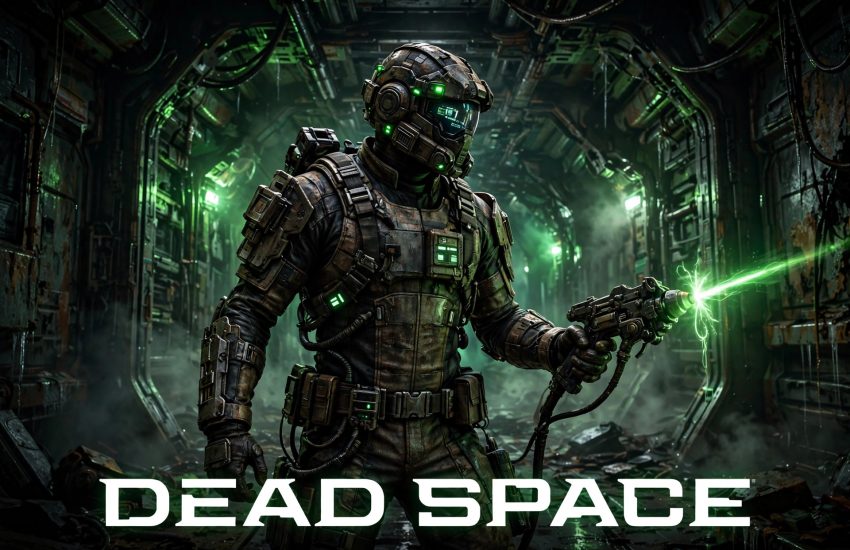
- The Plasma Cutter: Isaac’s iconic mining tool doubles as his main weapon, and you can upgrade it at workbenches.
- Zero-gravity sections: Float through open space with full 360-degree movement in rebuilt zero-G areas.
- Kinesis and Stasis: Move objects with your mind and slow down fast enemies to survive tight fights.
- One continuous shot: The camera never cuts away, so the tension never breaks from the first scene to the last.
- New Game Plus: Replay the game with your upgraded gear and unlock an alternate ending.
Because ammo is scarce, aim for arms and legs instead of body shots, and save your best weapons for when you truly need them.
3. System Requirements for Dead Space on PC
Before you start the dead space download for pc, check that your computer meets the official requirements. The game needs about 50 GB of free storage space, and an SSD is strongly recommended.
Minimum:
- OS: Windows 10 (64-bit)
- Processor: AMD Ryzen 5 2600X / Intel Core i5 8600
- Memory: 16 GB RAM
- Graphics: AMD RX 5700 / NVIDIA GTX 1070
- DirectX: Version 12
- Storage: 50 GB available space (SATA SSD)
Recommended:
- OS: Windows 10 (64-bit)
- Processor: AMD Ryzen 5 5600X / Intel Core i5 11600K
- Memory: 16 GB RAM
- Graphics: AMD RX 6700 XT / NVIDIA RTX 2070
- DirectX: Version 12
- Storage: 50 GB available space (PCIe SSD)
Note that 16 GB of RAM is required even at minimum settings. If your PC only meets the minimum specs, lower the shadow and lighting settings first.
4. How to Download Dead Space for PC (Official Method)
The only official way to get the game on PC is through Steam. Follow these steps to complete your dead space download for pc safely. You can open the official store page here: Dead Space on Steam.
- Install the Steam client from the official Steam website and sign in to your account.
- Open Steam and search for “Dead Space” in the store.
- Open the official store page and check the price, which is $59.99 in the United States.
- Click “Add to Cart” and complete the purchase with your preferred payment method.
- Go to your Steam Library, select Dead Space, and click “Install”.
- Choose your install drive, then let Steam download the full 50 GB game.
Steam will also install the EA App on the first launch. You can pause and resume the download at any time from the Downloads section. In addition, the game uses Denuvo protection, so Steam must be online for the first activation.
5. Step-by-Step Installation Guide
Once the download finishes, the installation is simple. First, open your Steam Library and click “Play” on Dead Space. Steam will run a short first-time setup and install the EA App if it is not already on your PC. Next, sign in to your EA account when asked, or create one for free. After that, the game will link your Steam and EA accounts and open the main menu.
If the EA App asks you to link accounts, use the same email you use for Steam. Also, make sure Windows is up to date and your graphics drivers are current, since outdated drivers cause most first-launch crashes.
6. How to Play Dead Space for the First Time
Your first task in the game is to reach the flight deck and restore power to the Ishimura. The opening chapter teaches you the basic controls: move, aim, shoot, and use Stasis. Pick up ammo, health packs, and credits as you go, because supplies are limited.
Early on, upgrade the Plasma Cutter’s damage at the first workbench you find. In addition, use Stasis on fast enemies before they reach you, and save at save stations often. Finally, explore side rooms for extra loot, because credits buy useful upgrades at the store.
7. Is Dead Space Free? Price and Editions
No, Dead Space is a paid game. On Steam in the United States, it costs $59.99. There is no free-to-play version. The game does go on sale during major Steam events, but the list price is $59.99.
The Deluxe Edition costs $69.99 and adds three unique suits and two suit textures. However, the standard edition already includes the full game with all 12 chapters. Therefore, most players should buy the standard edition unless they want the extra cosmetics. You can also play through an EA Play subscription, but buying on Steam is the simplest way to own it.
8. Dead Space Download for PC — Performance Tips
To get smooth performance, start with the High preset and adjust from there. The Frostbite engine is demanding on older hardware. In addition, enable DLSS on NVIDIA cards or FSR on AMD cards to gain extra frames.
For older graphics cards, reduce shadow quality and turn off ray tracing first, since these two settings cost the most performance. On the other hand, texture quality has a smaller impact, so keep it on High if you have enough video memory. Finally, install the game on an SSD, because a hard drive causes long loading times and stuttering.
9. Troubleshooting Common Issues
EA App sign-in loop: Close the EA App fully and launch the game again from Steam. If the loop continues, unlink and relink your EA account on the EA website, then restart Steam.
Game crashes on launch: Update your graphics drivers and verify the game files in Steam. Right-click the game, choose Properties, then Installed Files, and click “Verify integrity of game files”.
Stuttering or low frame rate: Lower the shadow and ray tracing settings. Also, close background apps such as browsers, which use memory and CPU power.
Download stuck: Pause and resume the download in Steam. If it stays stuck, change your download region in Steam Settings to a server closer to your location.
Controller not working: Enable Steam Input in the game’s controller settings. The game supports Xbox and PlayStation controllers on PC through Steam.
10. Frequently Asked Questions About Dead Space Download for PC
1. Is Dead Space free on PC?
No. It is a paid game that costs $59.99 on Steam in the United States. It often goes on sale during major Steam events.
2. Do I need Steam to play Dead Space on PC?
Yes. The PC version is sold through Steam, and the dead space download for pc needs the Steam client to buy, download, and launch the game.
3. How big is the Dead Space download?
The download is about 50 GB. Make sure you have at least that much free space, and use an SSD for the best loading times.
4. Do I need an EA account to play on PC?
Yes. The Steam version requires the EA App and an EA account, plus an internet connection for the first activation. The game also uses Denuvo protection.
5. Is this the 2023 remake or the 2008 original?
This is the 2023 remake. Motive Studio rebuilt the 2008 original from the ground up with modern graphics, new missions, and a voiced Isaac Clarke.
6. Can I play Dead Space offline?
Yes, after the first activation. Once installed and activated, the single-player campaign works offline, though Steam and the EA App must be installed.
7. Is Dead Space multiplayer?
No. It is a single-player game only, with no online or co-op modes. The full story is a solo experience across 12 chapters.
8. How long is Dead Space?
The main story takes about 12 to 16 hours. Side missions and New Game Plus add several more hours, and the alternate ending gives you a reason to replay it.
Conclusion: Dead Space is one of the best survival horror remakes ever made, and Steam is the easiest way to play it on PC. Buy it for $59.99, install the EA App when asked, and enjoy a tense trip through the USG Ishimura. Follow the steps above, and start your dead space download for pc today.
Related Guides
- Resident Evil Village for PC — Download & Install on Windows 10/11
- Silent Hill 2 for PC — Download & Install on Windows 10/11
- Control Ultimate Edition for PC — Download & Install on Windows 10/11