 Posted by

Want to play Balatro on your PC but not sure where to start? You are not alone. This poker roguelike is easy to learn and hard to stop, yet many players are unsure how to buy it safely. This guide covers the balatro download for pc process from start to finish. You will learn the system requirements, the official way to buy and download the game, and how to install it step by step. You will also find tips for your first run and answers to common questions. By the end, you will be ready to play your first hand.
1. What Is Balatro?
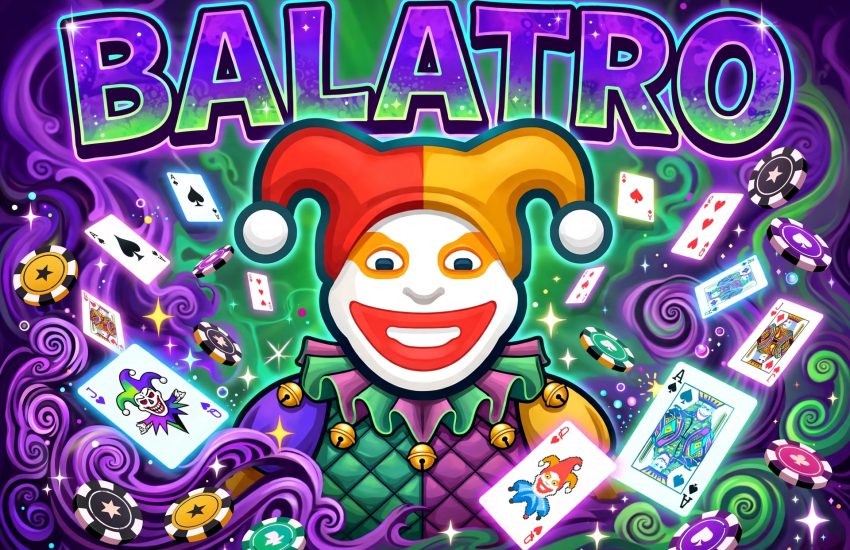
Balatro is a poker-inspired roguelike deckbuilder from LocalThunk and Playstack. You play poker hands to beat score targets, but the twist is the Jokers: special cards with wild powers that change how each hand scores. You buy Jokers, upgrade your deck, and chase bigger and bigger scores.
The game launched on February 20, 2024, for PC and consoles. On PC, it runs through Steam. It is a single-player game with no timers and no pressure: you take your time, plan your hands, and try to beat eight antes in a run. If you like card games, puzzles, or roguelikes, this one is made for you.
2. Balatro Download for PC (Key Features)
The balatro download for pc gives you the full game with all its decks and Jokers. Here are the features that stand out:
- Poker with a twist: play real poker hands to score points and beat targets.
- 150 Jokers: collect cards with wild powers that change every run.
- 15 decks: start with different decks that change your strategy.
- 8 difficulties: climb from White Stake to Gold Stake as you improve.
- Endless mode: keep playing after a win to chase huge scores.
- Quick runs: finish a run in about 30 minutes, or play for hours.
- Relaxing pace: take your time with every hand and every shop.
3. System Requirements
Check the minimum requirements below before you download. Balatro is a very light game, so almost any PC can run it.
- Operating system: Windows 7, 8, 10, or 11 (64-bit)
- Processor: Intel Core i3
- Memory: 1 GB RAM
- Graphics: OpenGL 2.1 compatible graphics card
- Storage: 150 MB of available space
If your PC meets these specs, the game will run smoothly. It needs very little power, so even old laptops can handle it with ease.
4. How to Download Balatro for PC (Official Method)
The only safe way to get the game is the official Steam store page. Follow these steps:
- Install the Steam client on your PC if you do not have it yet, then sign in to your Steam account.
- Open the Steam store and search for Balatro, or open the official page directly: Balatro on Steam.
- Buy the game for $14.99. The game is not free, and there is no free trial.
- After purchase, open your Steam Library and click Install.
- Pick a drive with at least 150 MB of free space, then start the download.
- Wait for the download to finish. The game is tiny, so this should take seconds.
Steam will also install any needed first-time setup files. Once the download ends, you can launch the game from your Library.
5. Step-by-Step Installation Guide
Once the download ends, the install is simple. Use this checklist:
- Open Steam and go to your Library.
- Click Balatro, then click Install if it has not started yet.
- Choose your install folder and confirm the 150 MB of space.
- Wait for Steam to finish the install and first-time setup.
- Launch the game and let it check for updates.
- Pick your language and screen settings.
- Start a new run and pick your deck.
- Test a short session to confirm the game runs without errors.
If Steam shows an error, restart Steam and check your disk space first. Most install problems come from a full drive or a weak connection.
6. How to Play Your First Run
Your first run teaches you the basics, so take it slow. Pick the Red Deck, play your best poker hands, and buy a Joker when you can. Your goal is to beat the score target before you run out of hands.
- From the main menu, start a new run and pick the Red Deck.
- Look at your hand and play a strong poker hand, like a pair or a flush.
- Watch your score grow, then beat the target to clear the blind.
- Visit the shop and buy a Joker that fits your hand.
- Keep playing hands until you beat the boss blind.
- Repeat for eight antes to win the run.
After your first run, try new decks, test new Jokers, and learn which hands score best. The more you play, the more the game opens up.
7. Price and Editions
Balatro is a paid game, not a free-to-play title. It costs $14.99 on Steam, and there is one edition. That single price gives you the full game with all 15 decks, 150 Jokers, and all difficulties.
The game also gets free content updates, including extra crossover card packs, at no extra cost. There is no invite-only test or early access version to join now. Prices can change during Steam sales, so check the store page before you buy.
8. Tips and Tricks for Beginners
- Play pairs and flushes: strong hands score more than weak ones.
- Buy Jokers early: a good Joker pays for itself fast.
- Save your discards: use them to find the cards you need.
- Plan your build: pick Jokers that work well together.
- Skip bad blinds: skipping can earn you a useful tag.
- Watch the boss blind: each one has a rule that changes the game.
- Try new decks: each deck teaches a new way to play.
- Take your time: there is no clock, so plan every hand.
9. FAQs
Is Balatro free to play?
No. Balatro is a paid game, and it costs $14.99 on Steam.
Can I play Balatro on Windows 10?
Yes. Windows 10 64-bit is supported, and the game also runs on Windows 7, 8, and 11.
Do I need a Steam account to play?
Yes. You need the Steam client and a Steam account to buy and download the game.
How much storage does Balatro need?
You need only 150 MB of free space for the install, plus room for updates.
Do I need to know poker to play Balatro?
It helps, but the game teaches you the hands as you play, so new players can learn fast.
Does Balatro have multiplayer?
No. It is a single-player game with no co-op or online modes.
How long does a run of Balatro take?
A full run takes about 30 minutes, but endless mode lets you play for much longer.
Can I refund Balatro on Steam?
Yes. Steam allows a refund if you request it within 14 days of purchase and have played for less than two hours.
10. Conclusion
Balatro turns a simple deck of cards into one of the most addictive games on PC. The balatro download for pc is simple when you use the official Steam page: buy the game for $14.99, install it through Steam, and free up just 150 MB of space. Then pick a deck, play your first hand, and chase the next big score. Download it today and see why it is one of the most loved indie games of recent years.
Related Guides
- OpenMW for PC: How to Download & Install on Windows
- FlightGear for PC: How to Download & Install on Windows
- SuperTuxKart for PC: How to Download & Install on Windows