 Posted by

Want to play Dragon’s Dogma 2 on your PC but not sure where to start? You are not alone. Many players search for a safe way to get this open-world action RPG on Windows, and this guide walks you through the whole process. Below you will find the full dragons dogma 2 download for pc method using the official Steam store, plus system requirements, the $39.99 price, and setup tips.
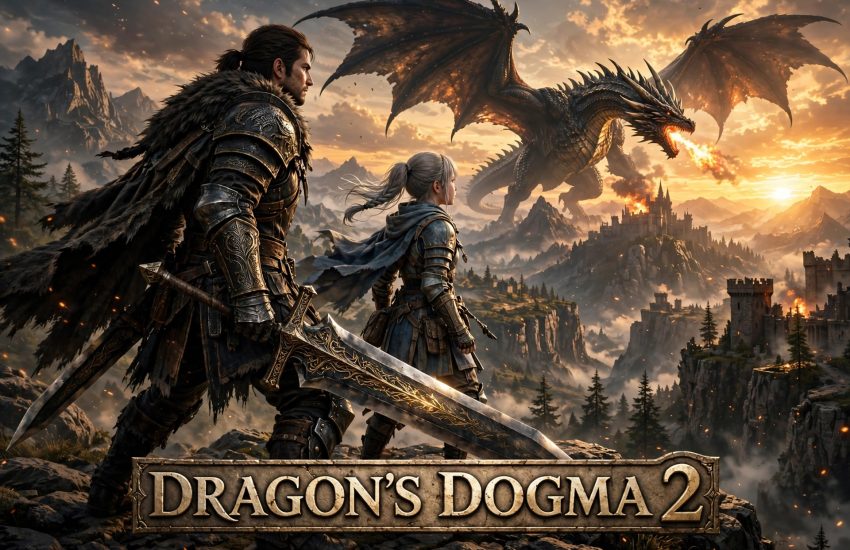
Dragon’s Dogma 2 is Capcom’s open-world action RPG, released on PC on March 22, 2024. You play as the Arisen, a hero whose stolen heart binds you to a dragon, and you travel the kingdoms of Vermund and Battahl with a party of Pawns. The game is a paid single-player title, so it is not free-to-play. You need the Steam client to buy, download, and play it on PC.
1. What Is Dragon’s Dogma 2?
Dragon’s Dogma 2 is a single-player, story-driven action RPG built around dangerous travel, giant monsters, and unpredictable adventures. Your Arisen explores a vast fantasy world on foot, climbs onto griffins and ogres to strike weak points, and fights beside AI companions called Pawns. There is no multiplayer mode, so every journey is your own story.
The game uses Capcom’s RE Engine, which gives the world rich detail and dramatic lighting. In addition, the world reacts to your choices: quests can fail, NPCs can die, and roads change as the story moves on. The result is an adventure that feels alive, because no two players take exactly the same path through it.
2. Key Features of Dragon’s Dogma 2
Dragon’s Dogma 2 stands out because it mixes classic fantasy combat with a living open world. Here are the main features you get:
- Pawn companions: Create your own main Pawn, then hire two more from other players’ creations to form a party of four.
- Ten vocations: Start as a Fighter, Archer, Mage, or Thief, then unlock advanced vocations such as Warrior, Sorcerer, Mystic Spearhand, and Magick Archer.
- Climbable monsters: Grab onto griffins, ogres, and cyclopes to attack weak spots up close.
- A living open world: Two kingdoms, Vermund and Battahl, are full of towns, caves, camps, and hidden quests.
- Dynamic quests: Choices and timing matter, because quests can change or fail if you ignore them.
- Day and night cycle: Nights are dark and dangerous, so plan your travel and carry a lantern.
Because travel is dangerous, do not rush across the map at night. Camp at a campsite, rest, and set out again at dawn with a full party.
3. System Requirements for Dragon’s Dogma 2 on PC
Before you start the dragons dogma 2 download for pc, check that your computer meets the official requirements. The game needs about 103 GB of free storage space, and an SSD is strongly recommended.
Minimum:
- OS: Windows 11 (64-bit)
- Processor: Intel Core i5 8500 / AMD Ryzen 5 3500
- Memory: 16 GB RAM
- Graphics: NVIDIA GeForce GTX 1660 / AMD Radeon RX 5500 XT with 8 GB VRAM
- DirectX: Version 12
- Storage: 103 GB available space
Recommended:
- OS: Windows 11 (64-bit)
- Processor: Intel Core i7-10700 / AMD Ryzen 5 3600X
- Memory: 16 GB RAM
- Graphics: NVIDIA GeForce RTX 2070 Super / AMD Radeon RX 6600 XT
- DirectX: Version 12
- Storage: 103 GB available space
The game is demanding, especially in busy towns, so a strong CPU matters as much as the graphics card. If your PC only meets the minimum specs, start on low settings and raise them step by step.
4. How to Download Dragon’s Dogma 2 for PC (Official Method)
The only official way to get the game on PC is through Steam. Follow these steps to complete your dragons dogma 2 download for pc safely. You can open the official store page here: Dragon’s Dogma 2 on Steam.
- Install the Steam client from the official Steam website and sign in to your account.
- Open Steam and search for “Dragon’s Dogma 2” in the store.
- Open the official store page and check the price, which is $39.99 in the United States.
- Click “Add to Cart” and complete the purchase with your preferred payment method.
- Go to your Steam Library, select Dragon’s Dogma 2, and click “Install”.
- Choose your install drive, then let Steam download the full 103 GB game.
Steam will also install DirectX and Visual C++ components if your PC needs them. The download is large, so use a stable connection and install the game on an SSD. You can pause and resume it at any time from the Downloads section.
5. Step-by-Step Installation Guide
Once the download finishes, the installation is simple. First, open your Steam Library and click “Play” on Dragon’s Dogma 2. Steam will run a short first-time setup and verify the game files. Next, the game will ask you to pick your language and confirm the graphics settings. After that, the title screen appears, and you can start a new game.
If Steam shows a “first-time setup” window, let it finish before you launch anything else. It usually takes less than a minute. Also, make sure Windows is up to date and your graphics drivers are current. Outdated drivers are the most common cause of crashes on the first launch.
6. How to Play Dragon’s Dogma 2 for the First Time
Your first task in the game is to create your Arisen and your main Pawn. The character creator lets you shape their look, voice, and starting vocation, so take your time here. After the opening scenes, you will arrive in the border town of Melve, where the game teaches you the basic controls: move, attack, block, and use skills.
Early on, hire two support Pawns at a Riftstone to complete your party of four. In addition, talk to every NPC with a quest marker, because side quests give you gold, gear, and experience. Finally, save often at inns and campsites, because the game saves on rest and one bad fight can cost you real progress.
7. Is Dragon’s Dogma 2 Free? Price and Editions
No, Dragon’s Dogma 2 is a paid game. On Steam in the United States, the base game costs $39.99. There is no free-to-play version. Capcom cut the price permanently from the $69.99 launch price in June 2026, so the current $39.99 list price is the standard price now.
The Dark Arisen expansion launched on October 9, 2026, and costs $29.99 on its own. It adds a northern story campaign, new equipment, and the Lost Rites dungeon network. However, you need the base game to play it. Therefore, new players should buy the base game first, or the base game plus expansion bundle for $49.99, which saves $20 against buying both parts separately.
8. Dragon’s Dogma 2 Download for PC — Performance Tips
To get smooth performance, start with the Medium preset and adjust from there. The game is heavy on the CPU in towns and large battles, so even a strong graphics card can struggle if the processor is weak. In addition, set the render resolution to match your monitor, and turn on DLSS or FSR if your card supports it.
For older hardware, reduce shadow quality and turn off ray tracing first. These two settings cost the most performance. On the other hand, texture quality has a small impact, so you can keep it on High if you have 8 GB of video memory. Finally, install the game on an SSD, because a hard drive causes slow loading and stuttering in the open world.
9. Troubleshooting Common Issues
Game crashes on launch: Update your graphics drivers and verify the game files in Steam. Right-click the game, choose Properties, then Installed Files, and click “Verify integrity of game files”.
Low frame rate in towns: Lower the shadow quality and reduce the NPC count setting. Also, close background apps such as browsers, which use memory and CPU power.
Download stuck: Pause and resume the download in Steam. If it stays stuck, change your download region in Steam Settings to a server closer to your location.
Controller not working: Enable Steam Input in the game’s controller settings. The game supports Xbox and PlayStation controllers on PC through Steam.
10. Frequently Asked Questions About Dragon’s Dogma 2 Download for PC
1. How do I start the dragons dogma 2 download for pc?
Buy the game on Steam for $39.99, then click “Install” in your Steam Library. Steam downloads the full 103 GB game, so install it on an SSD with enough free space.
2. Is Dragon’s Dogma 2 free on PC?
No. It is a paid game that costs $39.99 on Steam in the United States. The price was cut permanently from $69.99 in June 2026.
3. Do I need Steam to play Dragon’s Dogma 2 on PC?
Yes. The PC version is sold through Steam, and you need the Steam client to buy, download, and launch it.
4. How big is the Dragon’s Dogma 2 download?
The download is about 103 GB. Make sure you have at least that much free space on your drive, and use an SSD for the best loading times.
5. Is Dragon’s Dogma 2 multiplayer?
No. It is a single-player game only. The Pawn system lets you borrow companions created by other players, but you never play live with them.
6. What is the Dark Arisen expansion?
Dark Arisen is the expansion that launched on October 9, 2026. It costs $29.99 alone, or $49.99 as a bundle with the base game, and it adds a new story campaign and dungeons.
7. Which vocation should I pick first?
Start with Fighter if you like close combat, Archer if you prefer range, or Mage if you want to heal and support your Pawns. You can change vocations later at any Vocation Guild.
8. How long is Dragon’s Dogma 2?
The main story takes about 35 to 40 hours. With side quests and exploring both kingdoms, a full playthrough takes around 60 to 80 hours, and the Dark Arisen expansion adds more.
Conclusion: Dragon’s Dogma 2 is one of the most ambitious open-world action RPGs on PC, and the Steam version is the easiest way to play it. Buy it for $39.99, download the 103 GB game through Steam, and enjoy a huge fantasy adventure with your Pawn party. Follow the steps above, and you will be facing the dragon within a few hours.
Related Guides
- Elden Ring for PC — Download & Install on Windows 10/11
- Monster Hunter Wilds for PC — Download & Install on Windows 10/11
- Black Myth: Wukong for PC — Download & Install on Windows 10/11