 Posted by

Armored Core VI: Fires of Rubicon for PC: How to Download & Install on Windows
Do you want to pilot a giant mech into fast, brutal battles? Then the armored core 6 download for pc is your ticket to one of the most intense action games from FromSoftware. In this guide, you will learn what Armored Core VI: Fires of Rubicon is, what your PC needs, and how to install the official version from Steam.
1. What Is Armored Core VI: Fires of Rubicon?
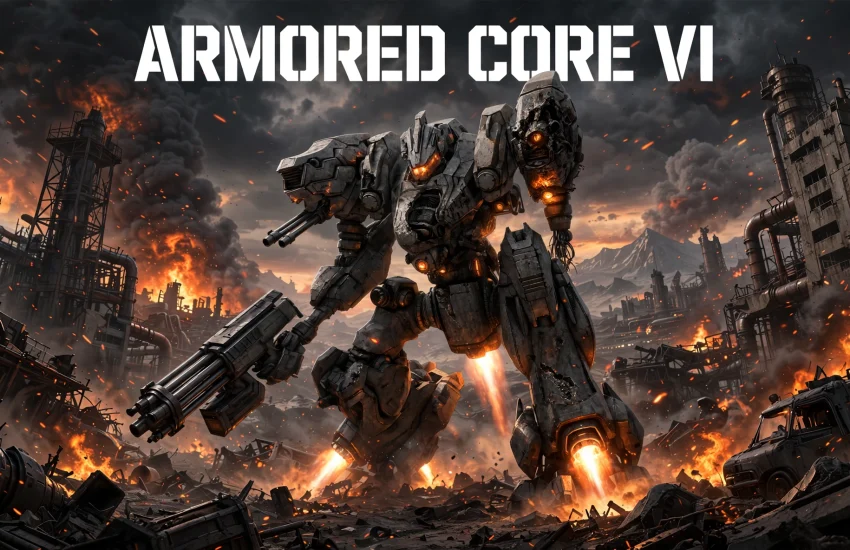
Armored Core VI: Fires of Rubicon is a mech action game from FromSoftware, published with Bandai Namco Entertainment. You play as an independent mercenary, callsign Raven, on the planet Rubicon 3. A rare substance called Coral has drawn corporations and factions into a war for control.
The game launched on August 24, 2023, and it brought back the long-running Armored Core series after a decade away. You take on missions for different employers, fight rival mechs, and uncover the truth about Coral and the Fires of Rubicon.
Combat is fast and three-dimensional. You boost, dodge, and fly across battlefields while swapping weapons on the fly. Every mission tests your speed, aim, and build.
2. Key Features of Armored Core VI: Fires of Rubicon
Armored Core VI stands out because it joins deep mech building with fast, skill-based combat. Here are the features that make it special.
Build your own mech: Swap legs, arms, cores, generators, and weapons in the Assembly. A light mech is fast and fragile, while a heavy mech hits hard and moves slowly.
Fast 3D combat: Use boosters to dash, fly, and close the distance in seconds. Lock on, stagger your enemy, and punish them with heavy damage.
Tough boss fights: FromSoftware is famous for hard bosses, and Armored Core VI is no different. Big machines and rival aces will test everything you have learned.
The Arena: Fight ranked AI pilots in one-on-one duels. Winning earns parts and credits, and it teaches you how to beat human-style tactics.
Multiplayer battles: Take your custom mech online for 1v1 duels or 3v3 team fights. Your build matters as much as your aim.
3. Armored Core VI: Fires of Rubicon System Requirements for PC
Armored Core VI needs a fairly strong PC, with 12 GB of RAM at minimum. Check the official requirements below before you install.
Minimum requirements:
- OS: Windows 10 (64-bit processor and operating system required)
- Processor: Intel Core i7-4790K or Intel Core i5-8400, or AMD Ryzen 7 1800X or AMD Ryzen 5 2600
- Memory: 12 GB RAM
- Graphics: NVIDIA GeForce GTX 1650, 4 GB or AMD Radeon RX 480, 4 GB
- DirectX: Version 12
- Storage: 60 GB of available space
- Sound Card: Windows Compatible Audio Device
Recommended requirements:
- OS: Windows 10/11 (64-bit processor and operating system required)
- Processor: Intel Core i7-7700 or Intel Core i5-10400, or AMD Ryzen 7 2700X or AMD Ryzen 5 3600
- Memory: 12 GB RAM
- Graphics: NVIDIA GeForce GTX 1060, 6 GB or AMD Radeon RX 590, 8 GB or Intel Arc A750, 8 GB
- DirectX: Version 12
- Storage: 60 GB of available space
- Sound Card: Windows Compatible Audio Device
If your PC meets the minimum specs, the game will run at standard settings. For the smoothest experience, use the recommended specs and keep your graphics drivers updated.
4. armored core 6 download for pc — How to Download the Official Version
The only safe way to get Armored Core VI is through Steam. You need the Steam client installed on your Windows PC, and you need a free Steam account. Then follow these steps to start your armored core 6 download for pc.
First, open Steam and sign in to your account. Next, use the search bar at the top and type “Armored Core VI”. Then click on the game in the search results to open its store page.
On the store page, you will see the price of $59.99. Click “Add to Cart” and complete the purchase. After that, Steam will add the game to your library.
You can also open the official store page directly here: Armored Core VI: Fires of Rubicon on Steam. This is the official link, so you always get the real game with updates and support. Never download Armored Core VI from random third-party sites, because those files can hide malware.
5. Step-by-Step Installation Guide for Armored Core VI: Fires of Rubicon on Windows
Once your armored core 6 download for pc is complete, installation is quick and simple. Follow these steps.
Step 1: Open Steam and go to your Library tab.
Step 2: Find Armored Core VI: Fires of Rubicon in your games list and click on it.
Step 3: Click the blue “Install” button on the game page.
Step 4: Choose the drive where you want the game installed. Make sure you have at least 60 GB of free space.
Step 5: Click “Next” and wait for the download to finish.
Step 6: When the download ends, click “Play” to launch Armored Core VI: Fires of Rubicon.
On the first launch, the game may install a few extra components. This is normal. After that, you can start your first mission as Raven.
6. How to Play Armored Core VI: Fires of Rubicon on PC: Your First Steps
Your first missions in Armored Core VI teach you movement, weapons, and mech building. Follow the early story missions, because they unlock new parts and systems.
First, learn to boost and dodge. Movement is your best defence, so stay mobile and never stand still in front of a gun. Use the lock-on to track fast enemies, and watch the stagger meter under their health bar.
Next, visit the Assembly after each mission. Sell parts you do not use, and try new weapons. A mix of a rifle and a blade works well early on, and a good generator keeps your boosters running.
After that, take on the Arena. These duels teach you how rival mechs fight, and they pay well. As you earn credits, build a second mech for a different role.
7. Armored Core VI: Fires of Rubicon Price and Editions
The armored core 6 download for pc costs $59.99 on Steam as a one-time purchase. There is no subscription and no monthly fee. Once you buy it, the full game is yours to keep.
The base game includes the complete experience: the full story, all missions, the Arena, and online multiplayer. You do not need to buy extra content to enjoy the game from start to finish.
The Steam version receives updates automatically at no extra cost. Steam sales sometimes lower the price, so check the store page first. The game is a full release, not Early Access.
8. Tips to Get the Best Experience in Armored Core VI: Fires of Rubicon
A few smart habits will make your battles much smoother.
Stagger first, then strike: Fill the enemy stagger meter with rapid fire, then hit them with a heavy weapon while they are stunned. This is the key to boss fights.
Keep moving: A still mech is a dead mech. Boost sideways to dodge missiles, and use quick boost to escape bad spots.
Match your build to the mission: Fast enemies need fast tracking, while armoured targets need heavy damage. Change your loadout before each mission.
Watch your energy: Boosting and flying drain energy fast. A better generator lets you stay in the air longer and recover faster.
9. Common Problems and Fixes for Armored Core VI: Fires of Rubicon on PC
Most issues in Armored Core VI have simple fixes. Try these solutions before you worry.
Game will not launch: Verify the game files in Steam. Right-click Armored Core VI, choose Properties, then Installed Files, and click “Verify integrity of game files”. Then restart Steam and try again.
Low frame rate: Lower the resolution or effects settings first. Also, close background apps and update your graphics driver.
Controller not working: Check that Steam Input is enabled for the game. Then restart the game with the controller already connected.
10. Frequently Asked Questions About Armored Core VI: Fires of Rubicon
Is Armored Core VI free to play on PC? No, Armored Core VI is not free to play. It costs $59.99 on Steam as a one-time purchase, with no subscription and the full game included.
Do I need Steam to play Armored Core VI on PC? Yes, you need the Steam client to download and play Armored Core VI on PC. The game is sold through Steam, and it launches from your Steam library.
Is Armored Core VI in Early Access? No, Armored Core VI is a full release. It launched on August 24, 2023, and the game you buy today is the complete version.
Can I play Armored Core VI solo? Yes, the story and missions are single-player. Online multiplayer is optional, with 1v1 duels and 3v3 team fights.
How much storage space does Armored Core VI need? Armored Core VI needs 60 GB of free storage space on your PC. Install it on an SSD for faster loading if you can.
Can I play Armored Core VI with a controller on PC? Yes, Armored Core VI supports controllers on PC. Many players prefer a controller for mech combat, while keyboard and mouse work well too.
Is Armored Core VI hard? Yes, it is a challenging game, like other FromSoftware titles. Bosses demand patience and smart builds, but the Assembly lets you change your mech to suit each fight.
Do I need to play older Armored Core games first? No, Armored Core VI is a fresh start with a new story. You can jump in without any knowledge of the older games.
Related Guides
- Warhammer 40,000: Space Marine 2 for PC: How to Download & Install on Windows
- Mecha BREAK for PC: How to Download & Install on Windows
- THE FINALS for PC: How to Download & Install on Windows