 Posted by

R.E.P.O. for PC: How to Download & Install on Windows
Want to play R.E.P.O. with friends, but you are not sure where to start? This guide covers the r.e.p.o. download for pc in full. You will learn what the game is, what your PC needs, and how to install it safely from Steam.
R.E.P.O. is a co-op horror game that became a hit in Early Access. It costs $9.99 on Steam, and it needs the Steam client on Windows 10 or 11. There is no free version, so buy it only from the official Steam store page.
1. What Is R.E.P.O.?
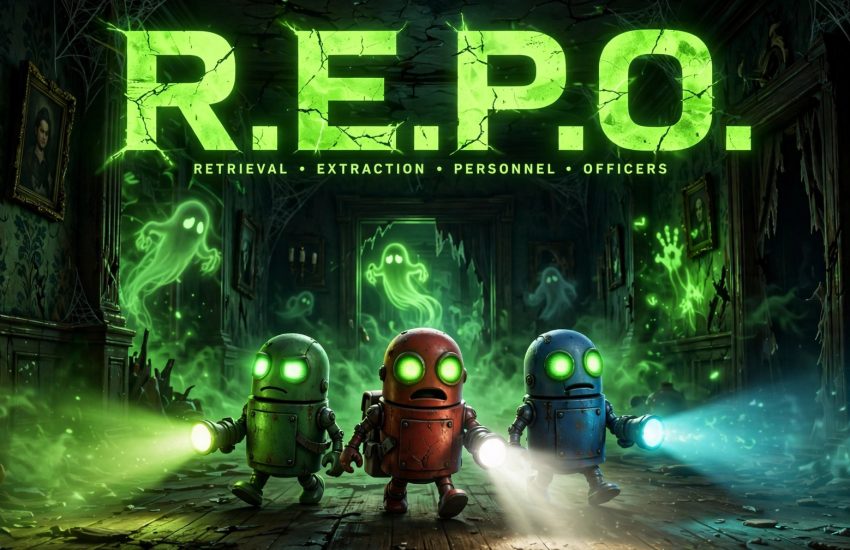
R.E.P.O. is a co-op horror game by semiwork. You and up to five friends play as robots who retrieve valuable objects from haunted places. Each run is tense, funny, and often chaotic.
The game entered Early Access on 26 February 2025. It is still in development, so new maps, items, and fixes arrive over time. The core loop is simple: enter a location, find loot, and bring it back alive.
Proximity voice chat makes every session feel alive. You hear friends only when they are near, so a scream in the dark can come from anywhere. That simple idea drives most of the fear and the fun.
2. Why Players Love R.E.P.O.
First, the co-op is built for groups. Up to six players can join one run, so a full squad can share the panic. Solo play is possible, but the game shines with friends.
Second, the physics add humour to the horror. Objects wobble, roll, and break if you handle them badly. A careless grab can cost your team a fortune.
Finally, no two runs feel the same. Random loot, monsters, and layouts keep each trip fresh. Players return because they want one more run, even after a scary wipe.
3. Key Features of R.E.P.O.
- Up to 6-player co-op: team up with friends and split the work on every run.
- Proximity voice chat: hear nearby players, and lose them when they wander off.
- Physics-based loot: carry fragile items with care, or watch their value drop.
- Random monsters: learn each creature, then avoid it or work around it.
- Upgrades between runs: spend your earnings on tools that help the next trip.
- Early Access updates: new content and fixes arrive as the game grows.
These features work together well. The voice chat, the physics, and the co-op all push players to talk, plan, and laugh, even when a monster is close.
4. R.E.P.O. System Requirements for PC
Check the official Steam requirements before you buy. R.E.P.O. is light, so most modern PCs can run it.
Minimum:
- Operating system: Windows 10 (64-bit)
- Processor: Intel Core i5-6600
- Memory: 8 GB RAM
- Graphics: NVIDIA GeForce GTX 970, DirectX 10
- Storage: 1 GB of free space
Recommended:
- Operating system: Windows 11 (64-bit)
- Processor: Intel Core i7-8700
- Memory: 8 GB RAM
- Graphics: NVIDIA GeForce GTX 1070, DirectX 12
- Storage: 1 GB of free space
You also need a broadband internet connection for online co-op. Update your graphics drivers first, because old drivers can cause crashes.
5. How to Download R.E.P.O. for PC (Official Method)
The r.e.p.o. download for pc is only safe from Steam. Do not use other sites, because they may offer fake or harmful files.
- Open your browser and go to the official R.E.P.O. page on Steam.
- Check that the page shows semiwork as the developer and a price of $9.99.
- Click Add to Cart, then sign in to your Steam account, or create a free account.
- Complete the purchase, then install Steam if the client is not on your PC yet.
- In the Steam client, find R.E.P.O. in your Library and click Install.
- Pick your install drive, then let Steam finish the download. The file is only 1 GB, so it should finish fast.
Steam is the only official source for this game on PC. If a site offers it for free, it is not official.
6. Step-by-Step Installation Guide
Once Steam has the game, the install is simple. Follow these steps in order.
- Open the Steam client and sign in to your account.
- Go to your Library, find R.E.P.O., and click Install.
- Choose the drive and folder, then click Next to start the download.
- Wait for the download to finish. You can watch the progress in the Downloads section.
- When the game shows as ready, click Play to launch it for the first time.
- Allow Windows Firewall access if it asks, so online co-op can connect.
- Pick your language and display settings, then start your first run.
If the download stalls, pause and resume it in Steam. A slow connection only delays the start, and the small file size helps a lot.
7. How to Play R.E.P.O. for the First Time
Start by creating a lobby and inviting your friends. One player hosts, and the rest join through Steam. Talk before you move, because a plan saves lives.
Next, learn the basic controls in a calm first run. Grab items gently, watch the value meter, and carry loot back to the truck. Do not rush, because haste breaks fragile goods.
Then listen for monsters. Each creature has a sound or a pattern, so stay quiet when you hear one near. If a friend is grabbed, decide fast: help them, or save the loot.
Finally, spend your earnings on upgrades after each run. Better tools make the next trip safer, and a stronger team can tackle harder maps.
8. Is R.E.P.O. Free? Price and Editions
No, R.E.P.O. is not free. It is a paid game, and it costs $9.99 on Steam. The r.e.p.o. download for pc gives you the full Early Access game for that price.
- Base game: $9.99, with the full Early Access game and future updates included.
- Free edition: there is no free edition, and no free trial on Steam.
- Early Access: the game launched in Early Access on 26 February 2025, so more content is still coming.
Because it is in Early Access, the price may change at full launch. Buy it now if you want the current price and the updates that follow.
9. R.E.P.O. Tips for New Players
- Talk all the time: proximity voice chat only works when you are near, so call out loot and danger.
- Carry with care: lift fragile items slowly, and use two hands when the game allows it.
- Stay together: a lone player is an easy target, so move in pairs when you can.
- Learn the monsters: each one has a weakness, and a calm team can avoid most of them.
- Bank your loot early: take valuable items back to the truck before you explore deeper.
- Save your money: buy upgrades that fit your team, not every item in the shop.
New players often lose loot by rushing. Slow down, talk, and treat each run as a team job.
10. Frequently Asked Questions (FAQs)
Q1. Is R.E.P.O. free on PC?
No. It costs $9.99 on Steam, and there is no free version.
Q2. Do I need Steam to play R.E.P.O.?
Yes. The game runs through the Steam client, so install Steam and sign in first.
Q3. How big is the r.e.p.o. download for pc?
The game needs only 1 GB of free space, so the download is small and installs fast.
Q4. Is R.E.P.O. still in Early Access?
Yes. It entered Early Access on 26 February 2025, and updates are still coming.
Q5. How many players can play R.E.P.O. together?
Up to six players can join one co-op run.
Q6. Does R.E.P.O. have voice chat?
Yes. It uses proximity voice chat, so you hear players only when they are close.
Q7. What are the minimum system requirements?
You need Windows 10 64-bit, an Intel Core i5-6600, 8 GB of RAM, a GTX 970, and 1 GB of free space.
Q8. Is R.E.P.O. safe to download from Steam?
Yes, when you use the official Steam store page, which delivers the genuine game from semiwork.
Conclusion
R.E.P.O. is a short, funny, and scary co-op game that is easy to start. It costs $9.99, needs only 1 GB of space, and runs on modest hardware. Install Steam, complete your r.e.p.o. download for pc, and gather your friends for a first run today.
Related Guides
- Enshrouded for PC: How to Download & Install on Windows
- Palworld for PC: How to Download & Install on Windows
- Valheim for PC: How to Download & Install on Windows