 Posted by

Adobe InDesign for PC: How to Download and Install on Windows (2026 Guide)
Brochures, magazines, books, posters and multi-page reports all share one need: precise control over text and images across many pages. Adobe InDesign is the industry-standard page layout program for that work — the tool publishers and designers use to build everything from a four-page flyer to a 400-page book.
This guide shows you how to download Adobe InDesign from the official Adobe website, install it on Windows step by step through the Creative Cloud desktop app, and lay out your first page. We also explain the system requirements and the honest pricing — InDesign is a paid Adobe app with a free trial, stated clearly below.
What Is Adobe InDesign?
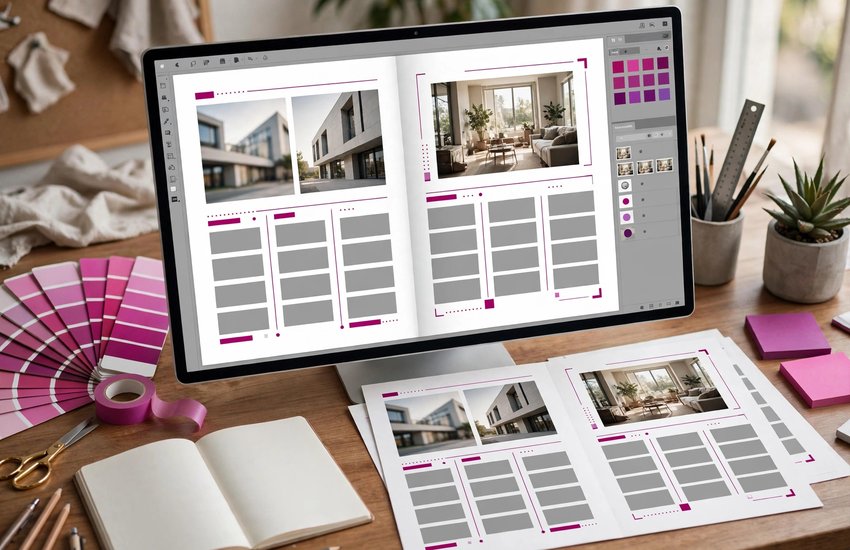
Adobe InDesign is professional desktop publishing software for Windows and macOS. Instead of typing a document the way you would in a word processor, you place text and images into frames on a page and control exactly where everything sits — margins, columns, headlines, captions and page numbers — with typographic precision.
Designers use it for print work such as magazines, books, catalogs and packaging, and equally for digital documents: interactive PDFs with links and buttons, ebooks and online brochures. Master pages (called parent pages) keep repeating elements like headers and page numbers consistent across a whole document, and styles keep fonts and spacing uniform with one click. InDesign is part of Creative Cloud, so it connects naturally with Photoshop and Illustrator files, and with Adobe InCopy, which lets writers edit text inside a layout without touching the design.
Key Features
- Precision page layout: Frames, grids, guides and margins give exact control over every element on the page
- Professional typography: Paragraph and character styles, OpenType features and fine kerning for polished, consistent text
- Parent (master) pages: Apply headers, footers and page numbers automatically across an entire document
- Long-document tools: Tables of contents, indexes, footnotes and cross-references that update as pages change
- Print-ready output: Preflight checks, CMYK support and PDF/X export meet professional printers’ requirements
- Interactive documents: Add hyperlinks, buttons and media for interactive PDFs and digital publications
- Data merge: Build catalogs, labels and certificates automatically from a spreadsheet or CSV file
System Requirements
- Operating System: Windows 10 (64-bit) version 22H2 or later, or Windows 11 (64-bit)
- Processor: Multicore Intel or AMD processor with 64-bit support
- RAM: 8 GB minimum; 16 GB or more recommended for long documents and large images
- Storage: Around 3.6 GB of free space for the application, plus additional space during installation and for your document files
- Display: 1024 x 768 resolution minimum; 1440 x 900 or higher recommended, with a GPU improving zoom and preview performance
- Fonts and Assets: Room on your drives for linked images and font libraries — layouts reference external files, so keep project folders together
- Internet Connection: Required to download the installer, sign in with an Adobe ID and activate the software
How to Download Adobe InDesign (Official Method)
Adobe InDesign should only be downloaded from Adobe itself. The official product page below starts the genuine trial or subscription, and the program is then delivered and updated through Adobe’s own Creative Cloud desktop app — the same safe channel Adobe uses for all of its professional design tools.
Official Website: Download Adobe InDesign from the official Adobe website
Step-by-Step Installation
- Open the official Adobe InDesign page linked above and click the Free Trial or Buy Now button.
- Sign in with your Adobe ID, or create a free Adobe account if you do not have one yet.
- Choose the InDesign single-app plan (or the Creative Cloud All Apps plan if you want Photoshop and Illustrator too) and start your trial or subscription.
- Download the Creative Cloud desktop app installer that Adobe offers after checkout, and run the setup file.
- Sign in to the Creative Cloud desktop app with the same Adobe ID and let it finish installing.
- In the Creative Cloud app, go to the Apps section, find InDesign, and click Install.
- Wait for the download and installation to finish, then click Open in the Creative Cloud app — or launch Adobe InDesign from the Start menu.
Important: Keep each project’s images and fonts in the same folder as the InDesign file — the program links to them rather than copying them in, and missing links are the most common beginner problem.
How to Lay Out Your First Page in Adobe InDesign
- Open InDesign and choose File > New > Document; pick a preset (for example A4), set your margins, and click Create.
- Press T for the Type tool, drag a text frame on the page, and type or paste your headline; make it bigger with the font size controls at the top.
- Choose File > Place, select a photo, and click on the page to drop it into a frame; drag the corners to size it.
- Add a second text frame for the body copy, then format it by selecting the text and choosing a font and size.
- Open the Pages panel and double-click the A-Parent page to add a page number or footer that repeats on every page.
- When the page looks right, export it via File > Export, choosing Adobe PDF (Print) for printing or Adobe PDF (Interactive) for on-screen documents with links.
Adobe InDesign Pricing: The Free Trial and Subscription Explained
Let us be straightforward: Adobe InDesign is not free software. Adobe offers a 7-day free trial with the full program, so you can lay out a real project before paying anything. When the trial ends, you need a paid Creative Cloud subscription to keep using it.
InDesign is sold as a single-app subscription — around US$22.99 per month on an annual plan billed monthly in the United States — or as part of the Creative Cloud All Apps plan, which bundles InDesign with Photoshop, Illustrator, Acrobat Pro and the rest of Adobe’s tools for a higher monthly price. Exact prices vary by country and tax, so check the official Adobe page linked in this guide for the current price in your region. Subscribing directly from Adobe includes all updates and access to Adobe Fonts, which many layout projects rely on.
Frequently Asked Questions
Is Adobe InDesign safe and legal to download?
Yes — when you download it from the official Adobe website linked in this guide. The program is installed through Adobe’s own Creative Cloud desktop app, so you get the genuine, signed software directly from the developer, and using it with a trial or subscription is completely legal.
What is Adobe InDesign used for?
InDesign is for page layout: magazines, books, brochures, catalogs, posters, resumes and interactive PDFs — any design where text and images must be arranged precisely across one or many pages for print or screen.
What is the difference between InDesign and Illustrator?
Illustrator creates vector artwork and usually works on single pages, like logos and illustrations. InDesign assembles text and images into multi-page documents and handles long documents with styles, parent pages and tables of contents. Many designers use both together.
Can InDesign open documents after my trial or subscription ends?
Your .indd files stay on your computer, but InDesign itself stops opening until you reactivate a subscription. If you only need to share finished work, export PDFs before the trial ends — anyone can view those for free.
Conclusion
Adobe InDesign is the professional standard for page layout because it combines precise design control with tools that make long documents manageable. Download it only from Adobe, start with the 7-day free trial, and follow the steps above to lay out your first polished page today.
Download Adobe InDesign from the Official Adobe Website
Related Guides
- Adobe Illustrator for PC: How to Download and Install on Windows (2026 Guide)
- Adobe InCopy for PC: How to Download and Install on Windows (2026 Guide)