 Posted by

How to Download Wondershare EdrawProj 3.7.2 on PC — Step-by-Step Install Guide
Are your project dates spread across spreadsheets, emails, and chat messages, with no clear view of what happens next? A wondershare edrawproj download for pc fixes that, because EdrawProj turns a task list into a Gantt chart you can see, move, and share. This guide shows you how to download and install EdrawProj 3.7.2 on Windows 10 and Windows 11 from the official Wondershare page, with no third-party download site involved.
1. What Is Wondershare EdrawProj?
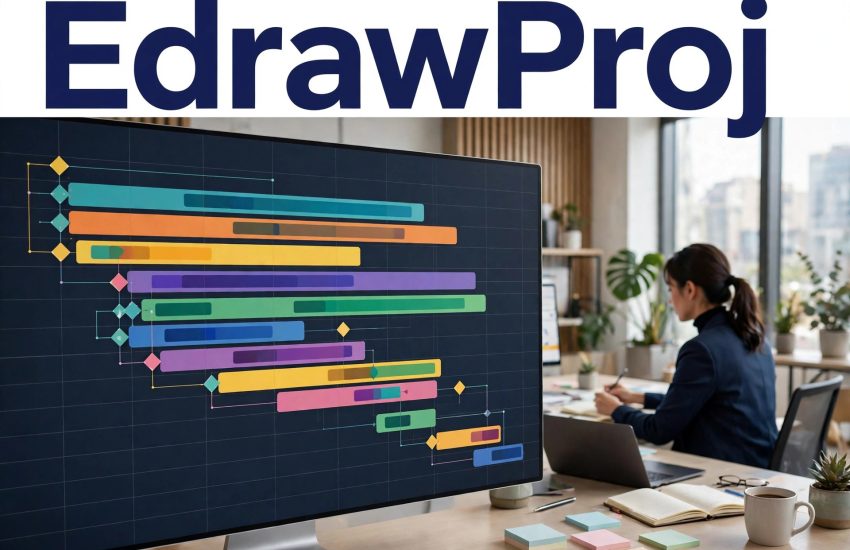
Wondershare EdrawProj is a desktop project management tool built around Gantt charts. It is made by EdrawSoft, the Wondershare brand behind EdrawMax and EdrawMind, but it is a different product from both of them. EdrawProj focuses on planning, tracking, and reporting a project with a timeline, rather than on general diagrams or mind maps.
The version shown on the official EdrawSoft download page is V3.7.2, and the Windows download is a standard .exe installer. You plan a project by listing tasks, setting start dates and durations, linking tasks that depend on each other, and watching the chart update. That visual timeline suits project managers, team leads, and anyone who must show a plan, a deadline, and progress in one view.
2. Key Features of Wondershare EdrawProj
EdrawProj covers the core of Gantt-chart planning in one desktop app. First, you can build Gantt charts with drag-and-drop editing, so you can change a start date or a duration by dragging a bar. Second, it supports milestones, baselines, task links, and critical paths, so you can mark key dates, compare progress against the original plan, and see which tasks control the finish date.
Third, it includes resource management and cost tracking, so you can assign people or resources to tasks and keep an eye on cost as the plan changes. Fourth, you can export a Gantt chart in editable Word, Excel, and PDF formats, which makes it easy to share a plan with people who do not use EdrawProj. Finally, status colouring helps you spot delayed or finished tasks at a glance. Together, these features cover a full planning cycle, from first draft to final report.
3. Why Choose Wondershare EdrawProj Download for PC?
A wondershare edrawproj download for pc is worth it when a plain task list no longer shows the whole project. A Gantt chart shows every task, its length, and its place in the sequence, so a delay in one task and its effect on later tasks is clear at once. Moreover, the desktop app keeps your plan in one file you can open, edit, and export without a browser tab.
For US users, the official product page states that EdrawProj supports Windows, macOS, and Linux, and the main download button on the Windows page is a Windows installer. If you plan construction work, product launches, events, or study schedules, a timeline often reveals gaps and clashes that a list hides. EdrawProj is therefore a practical tool for managers, engineers, teachers, and small teams.
4. System Requirements for Windows
Check the official requirements before you install EdrawProj. The official EdrawSoft download page lists “System Requirements: Windows Vista/7/8/10 (32bit/64 bit)” and the language as English and Chinese. It also states that EdrawProj supports Windows, Mac, and Linux. The page shows no processor, RAM, or disk-space figures, and this guide does not invent any.
In practice, you need a Windows PC that can run a standard desktop app, plus enough free disk space for the installer and your project files. The steps below are written for Windows 10 and Windows 11, using the Windows .exe installer linked from the official page. Before you buy a plan, try the free trial first and confirm the app opens and saves a test project on your own PC.
5. How to Download Wondershare EdrawProj for PC from the Official Site
Use only the official Wondershare page for the wondershare edrawproj download for pc. First, open the official EdrawProj page in your browser, using the link in this guide. Next, click the Try It Free button, which carries a Windows logo on the Windows page. The button links to the Windows installer, a .exe file, which will then download to your PC.
Do not download EdrawProj from a third-party file site, because those copies can be old or altered. The official page also notes Mac and Linux availability, so Windows users should stay on the Windows download. Once the installer file has finished downloading, keep it in your Downloads folder and move on to the installation steps.
6. Step-by-Step Installation on Windows 10/11
Installing EdrawProj on Windows is straightforward. First, double-click the downloaded .exe installer file. Second, if Windows shows a User Account Control prompt, click Yes to allow the installer to run. Third, follow the setup wizard, accept the licence agreement, and choose the install location if the wizard offers one. Fourth, click Install and wait for the progress bar to finish.
Fifth, launch EdrawProj from the wizard or from your desktop shortcut when setup completes. Sixth, sign in with your account or create one if the app asks, because activation is account-based. Seventh, choose a template or a blank project to start. Finally, save a small test project to confirm the app opens, edits, and saves correctly before you build a real plan.
7. How to Build Your First Gantt Chart with EdrawProj
Start with a small first project so you learn the layout. Open EdrawProj and start a blank Gantt chart or pick a template. Add your first task, type its name, and set its start date and duration by dragging its bar or typing the dates. Then add the next task, and link it to the first one if it cannot start until the first task finishes.
Next, add a milestone for a key date, such as a review or a launch day, and check the critical path view to see which tasks control the finish date. Try changing one duration and watch the linked tasks move. Finally, export the chart as a PDF or Excel file to share it, using the export options in the app. That first small chart teaches you the full workflow: add tasks, link them, mark milestones, and export the plan.
8. Is Wondershare EdrawProj Free? Price and Plans
EdrawProj offers a free trial, so you can download it and try it before you pay. The official EdrawSoft pricing page lists a Free Trial at Free for individuals. Paid plans then add longer access and more cloud space. Prices below are the live prices shown on the official pricing page at the time of writing, so confirm the current price before you buy.
The Semi-Annual Plan was US$39 in the plan comparison table. The Annual Plan was US$59, with automatic renewal and cancellation at any time. The Perpetual Plan was US$118, with US$145 struck through, as a one-time payment, and it was marked Most Popular. A Perpetual Bundle Plan was US$245, with US$530 struck through, as a one-time payment. No Black Friday wording was shown on the pricing page checked, so these prices are presented as the live listed prices, not as a Black Friday sale. The Annual Plan works out at US$4.92 per month when paid yearly, according to the pricing page.
9. FAQs About Wondershare EdrawProj Download for PC
Is Wondershare EdrawProj free? A free trial is offered. Paid plans start with the Semi-Annual Plan, so check the plan comparison on the official pricing page before you buy.
Does EdrawProj work on Windows 11? The official download page lists Windows Vista/7/8/10, and the product page states Windows support. The installer is a standard Windows .exe, so try the free trial on your Windows 11 PC first and confirm it runs there.
Is EdrawProj the same as EdrawMax? No. EdrawProj is a Gantt-chart project management tool, while EdrawMax is a separate diagram tool. Both sit under the EdrawSoft brand, and a bundle with both is also sold.
Can EdrawProj export a Gantt chart to Excel or PDF? Yes. Gantt charts can be exported in editable Word, Excel, and PDF formats, according to the official product information.
Does EdrawProj show the critical path? Yes. It supports milestones, baselines, task links, and critical paths, so you can see which tasks control the project finish date.
Can I manage resources and costs in EdrawProj? Yes. It includes resource management and cost tracking alongside task planning and tracking.
Does EdrawProj work on Mac or Linux? Yes, according to the official product page, which states support for Windows, macOS, and Linux. This guide covers the Windows download and install steps.
Where should I download EdrawProj safely? Only from the official Wondershare EdrawProj page linked in this guide. Avoid third-party download sites.
10. Conclusion
Wondershare EdrawProj 3.7.2 is a focused Gantt-chart tool for Windows users who need to plan, track, and report a project in one timeline. It offers drag-and-drop charts, milestones, baselines, dependencies, critical paths, and Word, Excel, and PDF export, with a free trial to try first. Download it only from the official page, install it with the steps above, and build one small chart for a real project today. That first chart will show you quickly whether timeline planning works better for you than a plain task list.
Related Guides:
- XMind for PC — Download & Install on Windows 10/11
- FreeMind for PC — Download & Install on Windows 10/11
- Mendeley for PC — Download & Install on Windows 10/11
Official download: Download Wondershare EdrawProj from the official Wondershare site