 Posted by

MetaTrader 5 is the professional trading platform that serious forex, gold and stock traders use every day. It packs live charts, technical indicators, one-click trading and automated strategies into one free program. This guide shows you how to download MetaTrader 5 for PC from the official source, install it safely on Windows 11 or Windows 10, and open a free demo account so you can practise without risking real money.
What Is MetaTrader 5?
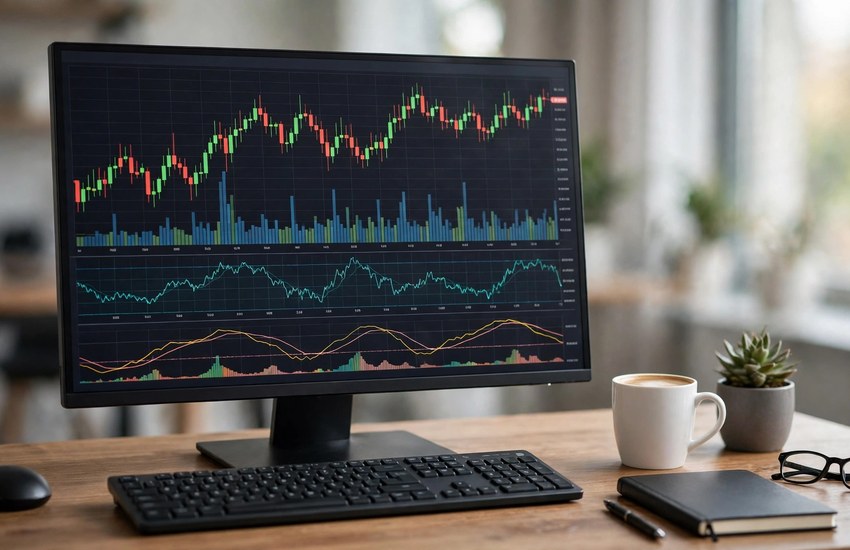
MetaTrader 5, usually called MT5, is a multi-asset trading platform published by MetaQuotes. It lets you trade forex, gold, stocks, indices and crypto from one window, with live prices, 21 timeframes and 38 built-in technical indicators. The platform itself is free — you only need a broker account to trade live, and a demo account costs nothing. MT5 also supports automated trading through Expert Advisors written in the MQL5 programming language, and it runs on Windows, Mac, Android and iOS.
Top Features of MetaTrader 5
- Multi-asset trading — trade forex, gold, stocks, indices and crypto from one platform.
- 21 timeframes — analyse a market from one minute to one month on the same chart.
- 38 built-in indicators — moving averages, RSI, MACD and more, ready to use.
- One-click trading — open and close trades straight from the chart.
- Demo account — practise with virtual money before you risk anything real.
- Algorithmic trading — run Expert Advisors that trade automatically with MQL5.
- Economic calendar — see upcoming news events that can move the markets, inside the platform.
System Requirements for MetaTrader 5 on PC
- Operating system — Windows 11 or Windows 10 (older builds also run on Windows 8 and 7).
- Processor — any modern dual-core CPU is more than enough.
- RAM — 2 GB minimum; 4 GB or more is recommended for several charts at once.
- Storage — a few hundred MB for the app, plus free space for chart history.
- Internet — a stable broadband connection for live prices and order execution.
- Display — 1024 × 768 or higher; a wider screen helps when several charts are open.
- Permissions — administrator rights for installation.
How to Download and Install MetaTrader 5 on PC
- Open the official MetaTrader 5 website and choose the Windows download.
- Run the downloaded installer file and approve the Windows permission prompt.
- Read each installer screen carefully and decline any optional extra software offers.
- Keep the default installation folder unless you have a reason to change it.
- Wait a few seconds for the setup to finish.
- Launch MetaTrader 5 from the desktop shortcut or the Start menu.
- Choose a broker from the list, or open a demo account to start practising.
Getting Started with MetaTrader 5
- Open a free demo account first — practise without risking real money.
- Add the symbols you want to watch, such as EURUSD or gold (XAUUSD), to the Market Watch.
- Open your first chart and switch between timeframes to see the market at different scales.
- Add one indicator, such as a moving average, and learn what it shows you.
- Place a practice trade on the demo account and watch how it moves.
- Check the economic calendar inside the platform before you trade on news days.
Is MetaTrader 5 Free?
Yes. The MetaTrader 5 platform itself is free to download and use. You need a broker account to trade live, and live trading involves real money and real risk, so always practise on a demo account first and never trade money you cannot afford to lose. Download MT5 only from the official MetaTrader 5 website or your broker’s official website.
Frequently Asked Questions
Is MetaTrader 5 safe to download for PC?
Yes, when you get it from the official MetaTrader 5 website or your broker’s official website. Installers from random download sites are the risky ones, because they can be modified. Download from the official source and keep the program updated.
Do I need a broker account to use MetaTrader 5?
You need a broker account to trade live, but not to learn the platform — a free demo account works for practice and comes with virtual money. Choose a regulated broker when you are ready to trade live.
What is the difference between MetaTrader 4 and MetaTrader 5?
MT5 is the newer platform: it supports more markets (stocks and futures as well as forex), more timeframes, more indicators and an economic calendar built in. MT4 is still popular for forex only, but new traders should start with MT5.
Does MetaTrader 5 work on Windows 11?
Yes. The current MetaTrader 5 builds install and run on Windows 11 as well as Windows 10, and the interface and settings are the same on both.
Related Guides