 Posted by

Browser downloads still fail in the same old way: a big file reaches 90 percent, the connection drops, and you start again. Internet Download Manager — usually shortened to IDM — is a download accelerator for Windows that splits each file into segments, downloads them in parallel, and resumes interrupted downloads instead of restarting them.
This guide shows you how to download IDM for PC from its official website, install it on Windows 11 or 10, and use the full 30-day free trial before deciding whether to buy a licence. Key features, system requirements and honest answers about cost and free alternatives are covered below.
One honest note up front: IDM is paid shareware. The trial is fully functional for 30 days with no email address or credit card required — after that, continued use needs a paid licence, or you uninstall it. There is no permanent free tier. If you want a permanently free option instead, see our Free Download Manager guide linked at the end of this post.
What Is Internet Download Manager?
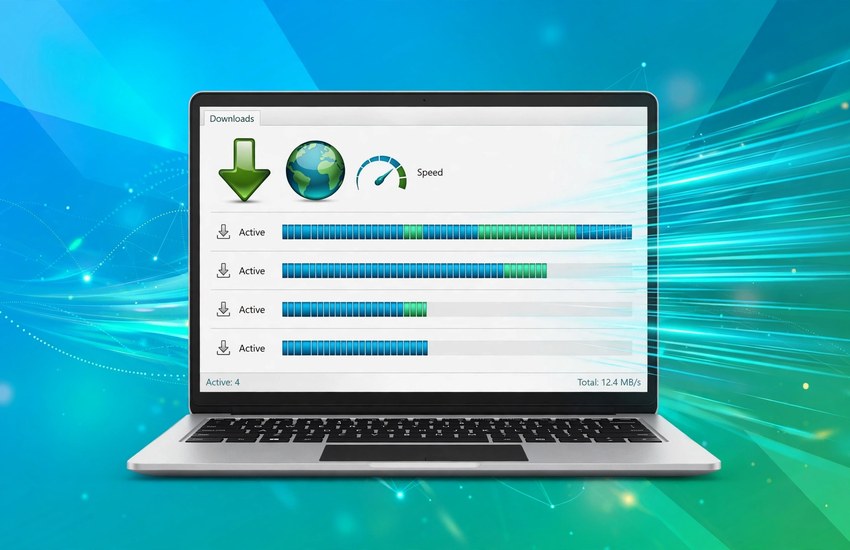
Internet Download Manager (IDM) is a Windows application by Tonec Inc. that takes over downloads from your browser and accelerates them. Its download engine uses dynamic file segmentation: each file is divided into smaller parts that are fetched at the same time and then combined, making better use of a fast connection than a single browser stream.
IDM integrates with Chrome, Firefox, Edge and other browsers through an extension, so links clicked in the browser are caught and handed to IDM automatically. It can also grab media files from web pages, schedule downloads for later, and resume broken transfers after a lost connection, network problem or power cut.
IDM is Windows-only. There is no official IDM version for macOS, Linux, Android or iOS — users on those platforms should look at the free alternatives linked at the end of this guide.
Key Features of Internet Download Manager
- Download acceleration: Dynamic file segmentation splits a file into parts and fetches them in parallel to use your full bandwidth.
- Resume support: Interrupted downloads continue where they stopped when the server supports it, instead of restarting from zero.
- Browser integration: Extensions for Chrome, Firefox and Edge catch downloads automatically; media grabber detects video and audio on pages.
- Scheduler and queue: Set downloads to start at a specific time, queue multiple files, and limit speeds so downloads never strangle your browsing.
- Site password management: Registered users can store site passwords inside IDM for protected downloads (a registered-version feature).
- Download categories and organisation: Sort completed files into categories and folders automatically.
- Proxy and firewall support: Works through proxy servers and firewalls with cookie and redirect handling.
System Requirements
- Operating system: Windows 11, Windows 10, Windows 8/8.1 or Windows 7 (32-bit and 64-bit). Current version is the 6.4x series.
- Processor / RAM: Any modern PC; very light — works fine on 2 GB RAM machines.
- Disk space: The installer is roughly 10 MB; allow a little extra room for downloaded files.
- Internet connection: Broadband recommended to feel the acceleration benefit.
- Browser: Chrome, Firefox or Edge with the IDM integration extension enabled for automatic capture.
How to Download and Install Internet Download Manager
- Open the official website. Go to internetdownloadmanager.com (Tonec Inc.). Only ever download IDM from there — “pre-activated” installers, cracks, patches and keygens from mirror sites are fake copies and frequently carry malware; Tonec treats them as such.
- Click “Download Internet Download Manager”. Save the installer file (usually named idman643buildxx.exe) to your Downloads folder.
- Run the installer. Double-click it and allow Windows to make changes if asked. The setup is a single installer — there is no separate “Pro” setup.
- Follow the setup wizard. Accept the licence agreement and keep the default options unless you have a reason to change them. Decline any unrelated offers if they appear.
- Launch IDM. The 30-day trial starts on first launch. No account, email address or credit card is needed to begin the trial.
- Add the browser extension. When IDM prompts you (or via the download page), install the IDM integration extension for your browser. Without it, downloads will not be captured automatically.
- Test with a real download. Click any download link in your browser — IDM should pop up and take over. If nothing is captured, re-check the extension is enabled in your browser’s extensions page.
How to Use Internet Download Manager — First Steps
- Download your first file. Click a link in the browser, confirm the save location in IDM’s dialog, and watch the segmented progress bars.
- Pause and resume. Use the pause button mid-download, then resume later — IDM continues from where it stopped (server permitting).
- Grab media from a page. Open a page with video, click the “Download this video” bar that appears, and pick the quality you want.
- Schedule a big download. In the scheduler, set a start time for overnight downloads and let IDM start and finish while you sleep.
- Organise with categories. Assign file types to categories so downloads land in the right folders without manual sorting.
- Check the trial clock. Help → About shows the remaining trial days. Decide before it ends: buy a licence from the official registration page, or uninstall.
Pricing — Honest Answer
IDM offers a fully functional 30-day free trial with no email or card required. After the trial, Tonec’s official pricing is approximately:
- One-year licence (one PC): about US$11.95
- Lifetime licence (one PC): about US$24.95 (one-off payment, listed as a discount from US$29.95)
Prices are set in US dollars and can vary by currency and discount — always check the current figure on Tonec’s official registration page before buying, and buy only through the official site (secure.internetdownloadmanager.com / the Register link on internetdownloadmanager.com). A licence key entered in IDM’s Registration turns the same installed trial copy into the registered version — no separate installer.
Frequently Asked Questions
Is Internet Download Manager free?
For 30 days, yes — the trial is the full product with no account or card needed. After 30 days you must buy a licence (about $11.95/year or $24.95 lifetime for one PC) or uninstall it. There is no permanent free tier.
Is IDM safe to download?
Yes, when downloaded from the official Tonec website — it is a digitally signed application with no adware or bundled software. The danger is fake “cracked” or “pre-activated” copies from unofficial sites, which often contain malware. Only use internetdownloadmanager.com.
Does IDM work on Mac, Linux or Android?
No. IDM is Windows-only with no official macOS, Linux, Android or iOS version. Mac/Linux users can try Free Download Manager (free, cross-platform) or JDownloader; Android users have separate download-manager apps.
What is the best free alternative to IDM?
Free Download Manager (FDM) is the closest free equivalent — it accelerates downloads, resumes them, integrates with browsers, and even handles torrents, which IDM does not. See our Free Download Manager for PC guide on this site. Xtreme Download Manager (XDM) is another free option.
Related Guides
- Free Download Manager for PC: Download & Install on Windows
- qBittorrent for PC: Download & Install on Windows