 Posted by

Counter-Strike 2 for PC: How to Download & Install on Windows
Want to play the world’s biggest tactical shooter on your PC, but not sure where to start? This counter-strike 2 download for pc guide shows you how to get the game free from Steam, install it on Windows 10 and Windows 11, and join your first match today.
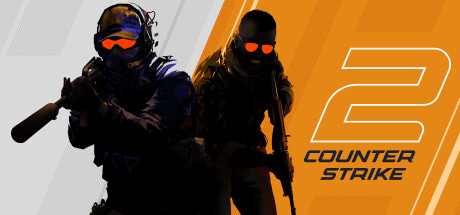
Counter-Strike 2 is Valve’s free-to-play tactical first-person shooter, and it is the free upgrade to Counter-Strike: Global Offensive. It runs on the Source 2 engine, so matches look sharper, smoke reacts to light and bullets, and your CS:GO items carry over. This guide covers the official way to install it, so you get the real game and nothing else.
1. What Is Counter-Strike 2?
Counter-Strike 2 is a 5v5 tactical shooter from Valve. One team attacks, the other defends, and each round is won by skill, teamwork, and smart use of the map. The game launched in September 2023 as a free upgrade to CS:GO, and it replaced CS:GO on Steam.
Two teams face off as Terrorists and Counter-Terrorists. The attackers plant the bomb or eliminate the other team, while the defenders hold the sites and stop the plant. Rounds are short, so every decision counts, and a lost round can be won back with a clever play.
The game also includes Premier mode, with CS Ratings and global leaderboards, plus the classic Competitive, Casual, and Deathmatch modes. In short, Counter-Strike 2 is the same game millions of players know, rebuilt on a modern engine for faster and fairer play.
2. Counter-Strike 2 download for pc: Key Features
- Premier mode: climb the CS Rating ladder, track your rank, and compete on global and regional leaderboards.
- Dynamic smoke grenades: smoke now fills spaces naturally, reacts to light, and can be pushed aside by bullets and explosions.
- Tick-rate-independent gameplay: the game records your actions the moment they happen, so shots feel fair and responsive.
- Overhauled maps: classic maps such as Dust 2 and Mirage have been rebuilt with better lighting, reflections, and detail.
- All your items carry over: every weapon skin and item from CS:GO moves forward to Counter-Strike 2 at no cost.
- Redesigned visuals and audio: the Source 2 engine brings sharper effects, cleaner sound, and a fresh interface.
Tip: start in Casual or Deathmatch mode to learn the maps and the recoil of each weapon before you try Competitive play.
3. System Requirements
Check these official minimum requirements before you install the game. If your PC meets them, Counter-Strike 2 will run, but a stronger PC gives you smoother frames in busy fights.
- Operating system: Windows 10 (64-bit)
- Processor: 4 hardware CPU threads – Intel Core i5 750 or higher
- Memory: 8 GB RAM
- Graphics: a video card with 1 GB or more, DirectX 11 compatible with Shader Model 5.0 support
- DirectX: Version 11
- Storage: 85 GB of free space
- Internet: a broadband connection for the download and online play
For the best experience, use a modern quad-core processor, 16 GB of RAM, and a dedicated graphics card. A solid-state drive also cuts loading times, so you get into matches faster.
4. Counter-Strike 2 download for pc: Official Method
Always get the game from the official Steam store page, so you receive the genuine game from Valve. Follow these steps to reach it safely.
- Open your browser and go to the official Counter-Strike 2 page on Steam.
- On the store page, check that the game is listed as Free To Play and that Valve is shown as the developer and publisher.
- Click Play Game, then sign in to your Steam account, or create a free Steam account if you do not have one.
- Choose Install Steam if the client is not on your PC yet, or confirm the install in the Steam client when it opens.
- Pick your install location, then let Steam download the game files. The download is about 85 GB, so a fast connection helps.
Important: avoid third-party download sites that offer the game as a separate file. Counter-Strike 2 only comes through Steam, and other sources may bundle unwanted software.
5. Counter-Strike 2 download for pc: Step-by-Step Installation
Once Steam has the game, the install is simple. Follow these steps in order.
- Open the Steam client and sign in to your account.
- Go to your Library, find Counter-Strike 2, and click Install.
- Choose the drive and folder for the game, then click Next to start the download.
- Wait for the download and install to finish. You can watch the progress in the Downloads section of Steam.
- When the game shows as ready, click Play to launch it for the first time.
- Let the game load, accept the first-run setup if it appears, and wait while it prepares the game files.
- Adjust your video settings, set your crosshair, and pick a resolution that matches your screen.
Warning: close heavy programs during the download and first launch, since the game needs disk space and memory to set up correctly.
6. How to Play Your First Match
Your first match should be relaxed, so pick Casual mode from the Play menu. Casual matches are shorter, and they teach you the maps without the pressure of a ranked game.
Start with the classic maps, such as Dust 2 or Mirage, and learn the bomb sites, the main routes, and the common hiding spots. Buy a rifle and armour at the start of each round, and stay with your team instead of running alone.
Next, practise your aim in Deathmatch, where you respawn fast and can try every weapon. Then move to Competitive or Premier mode when you feel ready, and play with friends if you can, because clear callouts win rounds.
7. Is Counter-Strike 2 Free? The Price Explained
Yes, Counter-Strike 2 is completely free to play on PC. You pay nothing to download it, install it, or play the full game, including Competitive and Premier modes.
- Base game: free, with all maps and modes included.
- Prime Status Upgrade: $14.99, an optional one-time upgrade that matches you with other Prime players and gives you Prime-exclusive items and drops.
- In-game items: optional weapon skins and cases are sold in the game and on the Steam Community Market, but they are cosmetic only and do not change how the game plays.
Prime Status is optional, and you can enjoy the full game without it. Prices are shown on the Steam store page, so check there before you buy anything.
8. Frequently Asked Questions
Q1. Is Counter-Strike 2 free for Windows 10 and 11?
Yes. The game is free to play on both Windows 10 and Windows 11, and you download it from Steam at no cost.
Q2. Do I need Steam to play Counter-Strike 2?
Yes. Counter-Strike 2 only runs through the Steam client, so install Steam, sign in, and add the game to your Library.
Q3. How big is the Counter-Strike 2 download?
The game needs 85 GB of free space. The download itself is about the same size, so plan for a large download on a slow connection.
Q4. Can I play Counter-Strike 2 without Prime Status?
Yes. Prime Status is an optional $14.99 upgrade. The full game, including Competitive and Premier modes, works without it.
Q5. Do my CS:GO skins work in Counter-Strike 2?
Yes. All items from CS:GO move forward to Counter-Strike 2, and they appear in your inventory when you launch the game.
Q6. What are the minimum system requirements?
You need Windows 10, a processor with 4 CPU threads such as an Intel Core i5 750, 8 GB of RAM, a DirectX 11 graphics card with 1 GB of memory, and 85 GB of free space.
Q7. Is Counter-Strike 2 safe to download from Steam?
Yes, when you use the official Steam store page. Steam is Valve’s own platform, and it delivers the genuine game files.
Q8. Can I play Counter-Strike 2 offline?
No. Counter-Strike 2 is an online multiplayer game, so you need an internet connection to play matches against other players.
9. Conclusion
Counter-Strike 2 is free, fast to set up, and ready to play on Windows 10 and 11 through Steam. Install the Steam client, add the game to your Library, and let it download. Then start in Casual mode, learn the maps, and work your way up to Competitive and Premier play.
10. Related Guides
- Shotcut for PC: How to Download and Install on Windows (2026 Guide)
- CyberLink PowerDirector Ultimate 2027 for PC: How to Download & Install on Windows
- XSplit Broadcaster for PC: How to Download & Install on Windows