 Posted by

The Windows command prompt feels plain, and switching between CMD, PowerShell, and Git Bash means juggling windows. This cmder download for pc guide shows you how to get the free portable console, how to set it up on Windows 10 and Windows 11, and how to open your first terminal. Cmder bundles ConEmu, Clink, and Git for Windows into one tidy package, so Unix commands work right away.
What Is Cmder?
Cmder is a free and open-source console emulator package for Windows. It is built on ConEmu, with Clink added for better command-line editing and Git for Windows in the full edition. The result is a tabbed terminal that feels closer to a Linux shell, with Unix commands such as ls, grep, and ssh ready to use.
The best part is that Cmder is portable. There is no installer wizard and no registry change. You download a zip, extract it to a folder, and run Cmder.exe. Your settings, aliases, and history live inside that folder, so you can carry the whole terminal on a USB stick.
Key Features
- Portable by design: runs from any folder or USB stick with no install.
- Unix commands: the full edition includes Git Bash with ls, grep, cat, and ssh.
- Tabbed terminal: open CMD, PowerShell, and Bash tabs in one window.
- Clink enhancements: better history, completion, and line editing in CMD.
- Monokai theme: a clean color scheme that is easy on the eyes.
- Custom aliases: create shortcuts for commands you type often.
- Open source: free forever under the MIT licence, with no account needed.
System Requirements
- Operating system: Windows 10 or Windows 11 (64-bit)
- Processor: any modern CPU
- RAM: 256 MB minimum; 1 GB is better
- Storage: around 150 MB for the full edition, 15 MB for mini
- Network: a connection is only needed to download Cmder
- Extras: a zip tool, which Windows already includes
Cmder Download for PC: Official Method
Always get the program from the official source so you receive the genuine, untouched software. Follow these steps:
- Open your browser and go to the Download Cmder from the official website.
- On the official Cmder site, open the download page and pick the latest release.
- Choose the full zip if you want Git for Windows, or the mini zip for a smaller download.
- Save the zip file to your Downloads folder and wait for it to finish.
Avoid third-party download sites that bundle extra software. The official website above is the only source you need.
The whole cmder download for pc process usually takes only a few minutes on a normal broadband connection. Once the file is saved on your computer, you can set it up whenever you are ready.
Step-by-Step Installation
- Open your Downloads folder and find the Cmder zip file.
- Right-click the zip and choose Extract All.
- Pick a permanent folder, such as C:\tools\cmder, and extract it there.
- Avoid C:\Program Files, since Cmder needs write access to its own folder.
- Open the extracted folder and double-click Cmder.exe.
- On first run, let Cmder finish its quick setup.
- If Windows SmartScreen appears, click More info, then Run anyway.
- Pin Cmder to your taskbar so you can open it fast next time.
cmder download for pc: How to Open Your First Terminal in Cmder
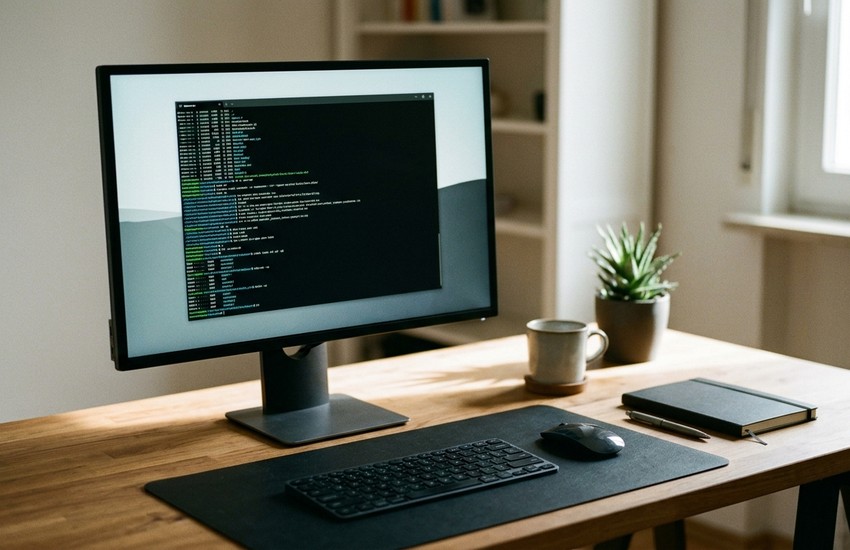
Cmder opens straight into a ready terminal, with no setup wizard in the way. The default prompt shows your current folder, and the Monokai colors make commands easy to read. From here you can type Unix commands such as ls, or open a new tab for PowerShell or Bash. If you have just completed the cmder download for pc and setup above, you are ready to begin.
- Double-click Cmder.exe in your Cmder folder.
- A terminal opens with the default prompt and Monokai colors.
- Type ls and press Enter to list the files in the folder.
- Press Ctrl+T to open a new tab, or click the + button.
- Pick a shell, such as PowerShell or Bash, from the tab list.
- Type exit and press Enter when you want to close the tab.
cmder download for pc: Is Cmder Free? The Price Explained
Yes, Cmder is completely free. It is open-source software under the MIT licence, with no paid version, no ads, and no limits on tabs or sessions. The project is maintained by volunteers, and every feature, including the full edition with Git for Windows, is yours from the first launch. There is no trial clock on this cmder download for pc, and no feature that stops working after a month.
Frequently Asked Questions
Is Cmder safe to install?
Yes, when you download it from the official cmder.app website. It is a well-known open-source project, and the official zip contains no bundled software.
Does Cmder work on Windows 11?
Yes. It runs on both Windows 10 and Windows 11, in 64-bit editions.
What is the difference between full and mini?
The full edition includes Git for Windows, so Unix commands such as ls and ssh work out of the box. The mini edition is much smaller and skips Git.
Can I run Cmder from a USB stick?
Yes. Cmder is fully portable, so you can copy its folder to a USB stick and run it on any Windows PC.
Does Cmder replace CMD?
No. Cmder wraps shells such as CMD and PowerShell in a better window. Those shells still do the actual work inside it.
cmder download for pc: Conclusion
Cmder is a simple, free way to get a better Windows terminal, with tabs, Unix commands, and a portable folder you can carry anywhere. It needs no installer, and it is ready in minutes. Get it only from the official website linked in this guide, follow the steps above, and your first terminal will be running today. For a safe cmder download for pc, stick to the official link in this guide and ignore mirror sites that bundle extras.
Related Guides