 Posted by

Cableguys PanCake 2 for PC: Download & Install on Windows (2026)
A static stereo image makes even a good mix feel flat, but moving sounds left and right by hand, bar after bar, is slow work. This pancake 2 download for pc guide covers Cableguys PanCake 2 — a free auto-pan plugin that moves sounds across the stereo field automatically, following patterns you draw yourself.
This guide covers the official free download from Cableguys, the Windows install steps, and your first panning pattern. One point up front, stated plainly: PanCake 2 itself is completely free, while its bigger paid sibling, PanShaper, adds multiband and Haas panning for producers who need more.
What Is Cableguys PanCake 2?
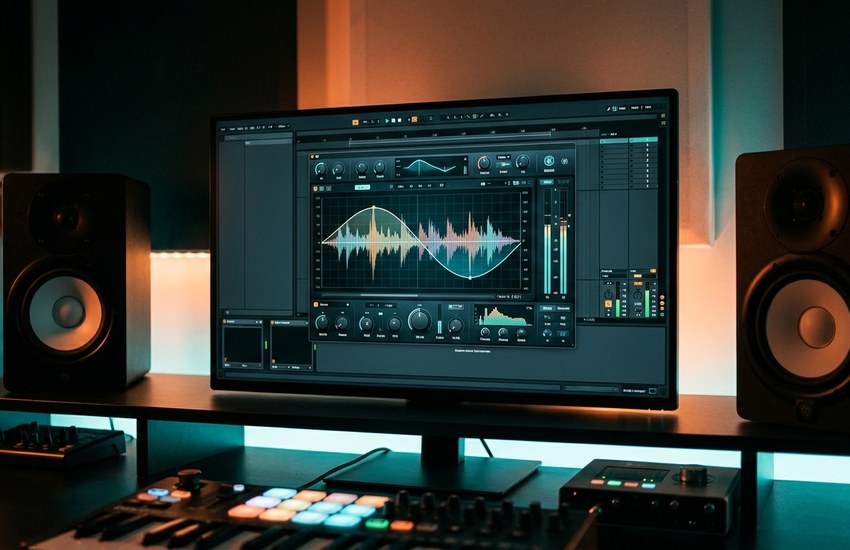
PanCake 2 is a free stereo panning modulation plugin from Cableguys, the Berlin developer making audio plugins since 2007. Instead of a plain auto-pan knob that swings sound left and right at a fixed rate, PanCake 2 is powered by Cableguys’ drawable LFOs, so you draw the exact panning curve you want — smooth sweeps, sharp chops, bouncing rhythms or slow drifts — and the plugin follows your shape.
That flexibility is the whole appeal. The LFO can sync to your project’s beat, run freely in Hertz, or be triggered by MIDI notes, so the movement can lock to a kick pattern, float independently of the tempo, or restart exactly when a note plays. A precise background oscilloscope with a left-right volume display shows what the modulation is doing while you work.
PanCake 2 runs as a plugin inside a DAW, not as a standalone program. On Windows it is available in VST 2, VST 3 and AAX formats, and Cableguys lists it as working with Ableton Live, FL Studio, Cubase, Bitwig Studio, REAPER, Studio One, Pro Tools and other compatible hosts.
Key Features
- Drawable LFO waveforms: Draw custom panning curves by hand instead of choosing from fixed sine or square shapes.
- Flexible panning modulation: Create anything from gentle stereo movement to extreme, loony panning patterns and audio-rate adventures.
- Beat-synced LFO: Sync panning patterns to the host tempo, with divisions from 1/128 note up to 32 bars.
- Free-running mode: Run the LFO freely from 0.02 Hz up to 5.24 kHz for tempo-independent and audio-rate effects.
- MIDI triggering: Trigger the LFO with MIDI notes so the panning pattern restarts exactly when you play.
- Mix control: Blend the overall panning strength with the dry/wet Mix knob, from subtle width to full movement.
- Oscilloscope display: A precise background oscilloscope and left-right volume display show the modulation in real time.
System Requirements
- Operating System: Windows 7, 8, 10 or 11
- Architecture: 64-bit Windows and a 64-bit plugin host
- Plugin Formats: VST 2, VST 3 or AAX
- DAW Host: A VST 2, VST 3 or AAX compatible DAW is required
- Compatible DAWs: FL Studio, Ableton Live, Cubase, Bitwig Studio, REAPER, Studio One and Pro Tools (AAX)
- Internet: Required for the download and free registration
- Account: Free registration on the Cableguys website is required to download
How to Download Cableguys PanCake 2 (Official Method)
PanCake 2 is free at the source, so unofficial download sites add risk without adding anything. Repackaged copies can be outdated, bundled with unwanted extra software, or modified in ways the developer never approved. The current official flow is simple: the PanCake page on cableguys.com links to a free registration page, where you register and download the genuine plugin. Use only that source.
Official Website: Download Cableguys PanCake 2 from the official website
Step-by-Step Installation
- Open the official Cableguys PanCake page linked above.
- Click the Free / Download button, which takes you to the PanCake 2 registration page.
- Register for a free Cableguys account, or sign in if you already have one.
- Download the Windows installer offered for PanCake 2.
- Save the installer to your Downloads folder, then double-click it and approve the Windows permission prompt.
- Follow the setup wizard, keeping the default VST 2, VST 3 and AAX options for your DAW.
- Open your DAW, run a plugin rescan, and load PanCake 2 on a stereo track.
Tip: Draw your first curve on a stereo track, not a mono one. Panning modulation needs a stereo channel to move sound between, so put PanCake 2 on a synth pad, a stereo loop or a bounced stereo part, and keep the Mix knob low at first so the movement supports the mix instead of distracting from it.
How to Create Your First Auto-Pan Pattern in PanCake 2
- Load PanCake 2 on a stereo instrument or audio track in your DAW and press play so you can hear the change.
- Choose the beat-synced LFO mode and pick a rate such as one bar for a slow, musical sweep.
- Draw a smooth curve in the LFO editor, rising from left to right across the bar.
- Watch the oscilloscope and left-right volume display to confirm the sound follows your drawn shape.
- Set the Mix knob around halfway, then raise or lower it until the movement feels right in the full mix.
- Try a second shape — short, choppy steps instead of a smooth sweep — and save the one that suits the track as a preset.
Is Cableguys PanCake 2 Really Free? The Honest Picture
Yes — completely. Cableguys states it plainly on the official page: PanCake 2 is free, with its drawable LFO, beat sync, MIDI triggering, Mix control and oscilloscope included. It is not a timed trial, and the plugin is not a cut-down demo waiting for a licence key.
The honest context is the product family. PanShaper is PanCake’s paid big brother: it adds multiband panning, Haas panning and further advanced options, and Cableguys’ wider ShaperBox bundle goes further still. Those are separate paid products for producers who outgrow PanCake 2. If all you need is creative, custom-drawn auto-panning, the free PanCake 2 is the complete tool for that job, with no payment expected later.
Frequently Asked Questions
Is PanCake 2 safe to download?
Yes, from the official Cableguys website linked above. Cableguys publishes the plugin itself and delivers it through its own registration page, so that installer is the genuine build. Copies hosted on unofficial download portals are the ones to avoid, as they may be outdated or bundled with extra software.
Is PanCake 2 really free?
Yes. Cableguys offers PanCake 2 as a completely free plugin, downloaded after free registration on its website. No licence key or payment is needed. The paid products in the family, such as PanShaper, are separate, larger plugins.
Which DAWs does PanCake 2 work with on Windows?
Any Windows DAW that hosts VST 2, VST 3 or AAX plugins, including FL Studio, Ableton Live, Cubase, Bitwig Studio, REAPER, Studio One and Pro Tools. Install the plugin, rescan in your DAW, and PanCake 2 appears in the effects list.
Why does PanCake 2 not appear in my DAW after installing?
Run the DAW’s plugin rescan and check that the VST 3 folder is included in its search paths. Also confirm you installed the 64-bit plugin, since PanCake 2 for Windows is a 64-bit release and needs a 64-bit host.
Conclusion
PanCake 2 turns ordinary auto-panning into something you design: drawable LFO curves, beat sync or free-running rates, MIDI triggering and a clear oscilloscope, all in a plugin that costs nothing. Download it from the official Cableguys website, load it on a stereo track, and draw movement that fits your song instead of settling for a preset wobble.
Download Cableguys PanCake 2 from the Official Website
Related Guides
- TAL-Chorus-LX for PC: Download & Install on Windows
- MFreeFXBundle for PC: Download & Install on Windows